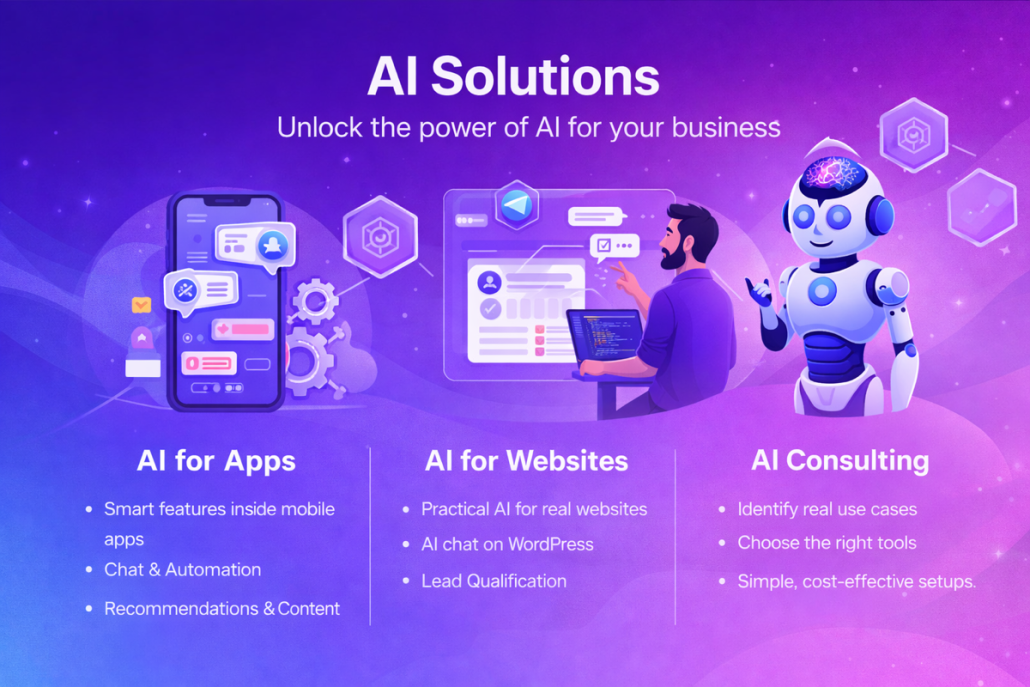
We build practical AI solutions by focusing first on real business
needs, not on trends or buzzwords. Every project starts with a clear
understanding of how your business operates day to day—where time
is lost, where decisions are delayed, and where repetitive work slows
your team down. Instead of pushing complex or unnecessary AI, we
identify the exact point where AI can make a measurable difference,
such as improving customer communication, automating internal tasks,
generating content, or turning data into clear insights.
Once the problem is clearly defined, we select the right AI approach
for the job. This may involve chatbots trained on your own content,
workflow automation connected to your existing tools, AI-assisted
content creation, or analytics systems that highlight patterns and
opportunities. Our goal is always simplicity and reliability. The
solution must be easy to use, easy to maintain, and understandable by
non-technical users inside your organization.
We then move into design and integration, making sure the AI fits
naturally into your current website, app, or internal systems. We
integrate with tools you already use—such as email, CRM, forms,
databases, or mobile apps—so the AI becomes part of your workflow
rather than an extra layer of complexity. Throughout this phase, we test
the system with real scenarios to ensure it behaves correctly, produces
useful results, and supports your business processes instead of
disrupting them.
Finally, we focus on long-term value and improvement. After
deployment, we monitor how the AI is used, gather feedback, and fine-
tune the system over time. As your business grows or changes, the AI
can be adjusted and expanded accordingly. Our approach ensures that
the AI solution delivers continuous value, reduces manual effort,
improves decision-making, and remains aligned with your business
goals—not just at launch, but well into the future.
https://kiaapp.xyz/wp-content/uploads/2025/09/favicon2-4-300x200.png00Kiahttps://kiaapp.xyz/wp-content/uploads/2025/09/favicon2-4-300x200.pngKia2026-02-16 11:22:512026-09-16 22:22:44A Practical Approach to AI Solutions for Businesses
his document has been prepared by the Release Strategy Team as the final protocol for managing distribution, pricing, and launch logistics within the Apple ecosystem. Our goal is to transform a technical Xcode project into a powerful commercial product—one that goes beyond technical standards and performs at the highest level in both business impact and user experience.
1. Strategic Foundations of Metadata and Brand Identity
(Metadata & Brand Identity)
From a strategist’s perspective, metadata is not merely a set of informational fields; it is the first cornerstone of App Store Optimization (ASO) and the foundation of your brand identity. Precision in this area directly drives visitor-to-user conversion rates.
Title and Subtitle Optimization
App naming must follow a brand-protection mindset. The app name must be globally unique within App Store Connect; if a name has already been reserved by another developer, Apple will not permit its use.
The subtitle should communicate the core value proposition in the shortest possible time.
Visual Asset Management
To gain the trust of professional users, leveraging the full capacity of 10 screenshots is strongly recommended. Strategically, at least one App Preview video should be uploaded to capture user attention within the first three seconds.
If the app supports iPad or Apple Watch, providing platform-specific visual assets is essential to maintain brand prestige.
Dynamic Text Strategy
Developers must clearly understand the functional difference between Promotional Text and Description.
Promotional Text is the only section that can be edited at any time without submitting a new app version—making it a critical tool for rapid marketing campaigns.
In contrast, changes to the Description or Keywords require submitting a new update.
Keyword Management
Within the 100-character keyword limit, every character is valuable. Separate keywords with commas without spaces to preserve maximum space for strategic terms.
Once brand identity is established, the next step is defining the app’s geographic reach and hardware boundaries.
2. Platform Distribution and Regional Availability
(Global Reach & Platform Scope)
Presence across Apple’s hardware ecosystem is the key to business scalability. A strategist must deliberately decide where the app should operate within Apple’s hardware landscape.
Distribution on New Hardware Generations
By default, distribution options for Apple Silicon Macs and Apple Vision Pro are enabled. Strategically, keeping these options active allows cost-free entry into the emerging Spatial Computing market—unless specific technical limitations prevent proper functionality.
Global Availability Management
The app may be released worldwide or restricted to selected regions based on market analysis, support capacity, and local regulatory requirements.
Distribution Methods
Public Distribution: The standard approach for mass-market user acquisition.
Private Distribution: Via Apple Business Manager or School Manager, suitable for apps developed exclusively for internal use or specific organizations.
Strategic Insight (Why it matters)
Simultaneous availability on iPhone, iPad, and Vision Pro embeds the app deeply into the user’s digital ecosystem, expanding its value across all major Apple platforms.
Transition
With hardware scope defined, attention shifts to revenue architecture and monetization strategy.
3. Pricing Architecture and Subscription Models
(Pricing Architecture & Subscriptions)
Pricing is a positioning tool. Selecting the right price tier must align with target market expectations and the value delivered.
Price Schedule Configuration
Apps can be offered as Free or assigned to specific pricing tiers. Prices should be regionally adjusted to reflect local purchasing power.
Category Selection and ASO
Choosing the correct Primary and Secondary categories has a direct impact on discoverability and ranking. Smart categorization places the app in front of more qualified users.
Advanced Subscription Management
For revenue sustainability, using an App-Specific Shared Secret is mandatory—especially when relying on third-party subscription services. This security key acts as the bridge between your servers and Apple’s systems.
Age Rating
This step goes beyond a simple form. Mismatches between actual content and the selected age rating are among the most common causes of late-stage rejections.
Strategic Insight (Why it matters)
A flexible pricing strategy combined with accurate categorization smooths user acquisition across diverse markets and reduces rejection risk due to content misalignment.
Transition
Once the business model is finalized, all technical and security pathways must be cleared for App Review.
4. Technical Readiness, Security, and Review Protocols
(Technical Readiness & Review)
Technical transparency with Apple’s App Review Team minimizes review time (typically 2–3 days). Any ambiguity at this stage results in lost launch momentum.
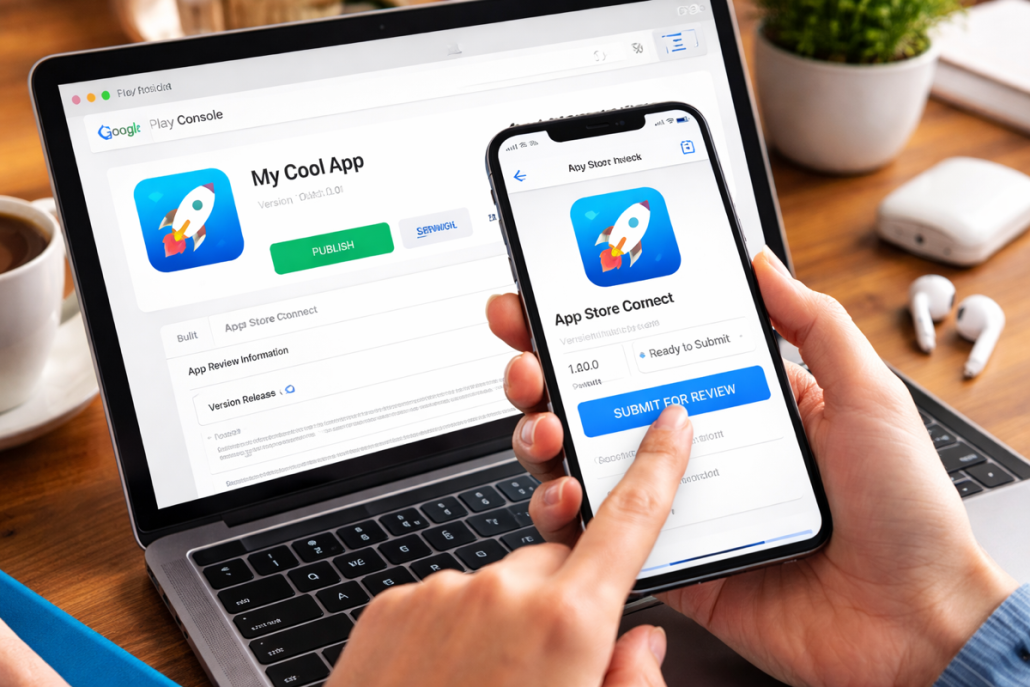
Critical Version Matching
A strict requirement applies: the version number in App Store Connect (e.g., 1.0.1) must exactly match the version defined in the Xcode project. Any discrepancy can lead to processing delays or system errors.
Build and Icon Management
After a successful upload, app icons are automatically extracted from the build. Ensuring that all required icon sizes are properly configured in Xcode is mandatory.
Reviewer Access Protocols
If the app requires authentication, providing a test (dummy) account is essential.
Special Note
If Sign in with Apple is the only authentication method, enter dummy / dummy in the access field and clearly explain in the Notes section that the app relies on Apple’s authentication system.
Additional explanations of complex app features in the Notes section can significantly accelerate the review process.
Encryption Documentation
If any form of custom encryption is used, submitting the appropriate Encryption Documentation is mandatory to comply with software export regulations.
Strategic Insight (Why it matters)
Attention to technical detail and frictionless reviewer access dramatically reduce repeated rejections and strengthen the developer’s credibility with Apple.
Transition
With technical validation complete, the final strategic decision concerns precise control over launch timing.
5. Release Strategy and Final Launch Control
(Release Triggers & Launch Control)
The release moment must align with peak marketing activity. Choosing the correct release mechanism separates a successful launch from a silent one.
Release Mechanisms
Automatic Release
Publishes immediately after Apple approval
Best suited for bug fixes or low-profile releases
Manual Release
Publication is held until the developer triggers it
Strategic recommendation: Ideal for full alignment with marketing campaigns
Scheduled Release
Publishes at a specific date and time (not earlier)
Best for coordinated global launches tied to events
Final Pre-Submission Checklist (Add for Review)
Xcode version matches App Store Connect (e.g., 1.0.1)
All 10 screenshots uploaded, including iPad/Watch assets
Contact details and demo account (or Sign in with Apple note) provided
Primary and Secondary categories selected for ASO
All metadata changes saved
Strategic Insight (Why it matters)
Manual Release gives product leaders full control to ensure backend infrastructure and marketing campaigns are fully ready before triggering global publication.
Final Statement
This distribution strategy transforms an application from a technical codebase into a globally scalable commercial product, fully prepared to compete in the world’s most demanding app marketplace.
https://kiaapp.xyz/wp-content/uploads/2025/09/favicon2-4-300x200.png00Kiahttps://kiaapp.xyz/wp-content/uploads/2025/09/favicon2-4-300x200.pngKia2026-02-14 00:45:352026-09-17 18:11:38Comprehensive App Distribution and Release Strategy for the App Store
Comprehensive App Store Distribution and Release Strategy
This document has been prepared by the Release Strategy Team as the final protocol for managing distribution, pricing, and launch logistics within the Apple ecosystem. Our objective is to transform a technical Xcode project into a strong commercial product—one that not only meets technical requirements, but also excels in business positioning and user experience.
⸻
1. Strategic Foundations of Metadata and Brand Identity
(Metadata & Brand Identity)
From a strategist’s perspective, metadata is not just a set of information fields; it is the first cornerstone of App Store Optimization (ASO) and the foundation of your brand identity. Precision here directly impacts visitor-to-user conversion rates.
Title and Subtitle Optimization
App naming must follow a brand-protection mindset. The app name must be globally unique in App Store Connect—if another developer has already reserved it, Apple will not allow its use.
The subtitle should communicate the core value proposition as quickly and clearly as possible.
Visual Asset Management
To build trust with professional users, using the full capacity of 10 screenshots is strongly recommended. Strategically, at least one App Preview video should be uploaded to capture user attention within the first three seconds.
If the app supports iPad or Apple Watch, providing platform-specific visual assets is essential to maintain brand prestige.
Dynamic Text Strategy
Developers must understand the functional difference between Promotional Text and Description.
Promotional Text can be edited at any time without submitting a new version—making it a critical tool for short-term marketing campaigns.
In contrast, changes to the Description or Keywords require a new app update.
Keyword Management
Within the 100-character keyword limit, every character matters. Separate keywords with commas without spaces to maximize usable capacity.
Once brand identity is established, the next step is defining the app’s geographic and hardware boundaries.
⸻
2. Platform Distribution and Regional Availability
(Global Reach & Platform Scope)
Presence across Apple’s hardware ecosystem is key to business scalability. Strategically, you must decide where your app should operate within Apple’s hardware “ocean.”
Distribution on New Hardware Generations
By default, distribution for Silicon Macs and Apple Vision Pro is enabled. Strategically, leaving these options active allows cost-free entry into the emerging Spatial Computing market—unless technical limitations prevent proper functionality.
Global Availability Management
The app can be released worldwide or restricted to selected regions based on market analysis, support capacity, and local legal requirements.
Distribution Methods
• Public Distribution: Standard approach for mass-market reach.
• Private Distribution: Via Apple Business Manager or School Manager, suitable for internal or enterprise-only apps.
Strategic Insight (Why it matters)
Simultaneous presence on iPhone, iPad, and Vision Pro embeds the app deeply into the user’s digital life, expanding its value across platforms.
Transition
With hardware scope defined, the next step is designing the revenue and pricing architecture.
⸻
3. Pricing Architecture and Subscription Models
(Pricing Architecture & Subscriptions)
Pricing is a positioning tool. Selecting the right price tier must align with both market expectations and delivered value.
Price Schedule Configuration
Apps can be set as Free or assigned to specific pricing tiers. Prices should be adjusted regionally to reflect local purchasing power.
Category Selection and ASO
Choosing the correct Primary and Secondary categories directly affects discoverability. Smart category selection places the app in front of more relevant users.
Advanced Subscription Management
For sustainable revenue, using an App-Specific Shared Secret is mandatory—especially when third-party subscription services are involved. This key acts as the secure bridge to Apple’s servers.
Age Rating
This is more than a formality. Mismatches between actual content and selected age rating are among the most common reasons for last-stage rejections.
Strategic Insight (Why it matters)
Flexible pricing and accurate categorization smooth user acquisition across markets and reduce rejection risks related to content compliance.
Transition
With the business model finalized, all technical and security paths must be cleared for App Review.
⸻
4. Technical Readiness, Security, and Review Protocols
(Technical Readiness & Review)
Clear technical communication with Apple’s App Review Team minimizes review time (typically 2–3 days). Any ambiguity here results in lost launch momentum.
Critical Version Matching
The version number in App Store Connect (e.g., 1.0.1) must exactly match the version defined in Xcode. Any mismatch can cause processing errors or delays.
Build and Icon Management
After upload, icons are extracted automatically from the build. Ensuring all required icon sizes exist in Xcode is mandatory.
Reviewer Access Protocols
If login is required, providing a test (dummy) account is essential.
Special Case: Sign in with Apple Only
If Apple Sign-In is the sole authentication method, enter dummy / dummy in the access field and clearly explain in the Notes section that authentication relies on Apple’s system.
Any additional explanations of complex features in the Notes section significantly accelerate review.
Encryption Documentation
If custom encryption is used, submitting the required Encryption Documentation is mandatory to comply with export regulations.
Strategic Insight (Why it matters)
Attention to technical detail and frictionless test access dramatically reduce repeated rejections and strengthen the developer’s credibility with Apple.
Transition
With technical approval secured, the final strategic decision concerns launch timing control.
⸻
5. Release Strategy and Final Launch Control
(Release Triggers & Launch Control)
Launch timing must align with peak marketing activity. Choosing the right release mechanism separates a strong launch from a silent release.
Release Mechanisms
• Automatic Release
Publishes immediately after Apple approval.
Best for: Hotfixes or low-profile updates.
• Manual Release
Holds publication until the developer triggers it.
Strategic recommendation: Best choice for full marketing alignment.
• Scheduled Release
Publishes at a specific date and time.
Best for: Coordinated global launches tied to events.
Final Pre-Submission Checklist (Add for Review)
• Xcode version number matches App Store Connect (e.g., 1.0.1)
• All 10 screenshots uploaded, including iPad/Watch assets
• Contact info and demo account (or Apple Sign-In note) provided
• Primary and Secondary categories selected for ASO
• All metadata changes saved
Strategic Insight (Why it matters)
Manual Release gives product leaders full control to ensure backend systems and marketing campaigns are fully ready before global publication.
⸻
Final Statement
This distribution strategy transforms an app from a technical codebase into a globally competitive commercial product, ready to perform in the world’s most demanding app marketplace.
https://kiaapp.xyz/wp-content/uploads/2025/09/favicon2-4-300x200.png00Kiahttps://kiaapp.xyz/wp-content/uploads/2025/09/favicon2-4-300x200.pngKia2026-02-13 23:39:012026-09-17 18:15:45Comprehensive App Store Distribution and Release Strategy
In the freemium model, the goal is to convert free users into premium users by proving value. Calm has perfected this
approach by offering partial free content combined with smart upgrade prompts. Market penetration strategies require free
trials and ultra-fast onboarding to minimize entry barriers.
Sustainability depends on continuously delivering exclusive content and regular updates that justify recurring payments. For
users resistant to direct payment, advertising-based models become necessary.
4. In-App Advertising (IAA): Optimizing Ad Inventory
In-app advertising holds massive potential in developed markets; in
North America, users spend 88% of their mobile time inside apps.
Strategic placement and precise timing are key to converting this time
into revenue.
Managing Ad Formats and Preventing Ad Fatigue:
Banner Ads: Use smart refresh rates and creative rotation to avoid fatigue.
Interactive Videos: Apply frequency capping and display ads only
at logical breakpoints (e.g., end of a level).
Native Ads: Success depends on seamless visual integration and content continuity.
IAA architecture requires partnerships with reliable ad networks to
ensure high fill rates and advanced analytics. Continuous monitoring
of user interaction and persistent A/B testing help determine the
optimal ad volume without causing user churn. Alongside these
methods, the classic paid-download model still holds relevance for
strong brands.
5. Paid Downloads and Brand Equity
With a 1% market share (~$5 billion), paid downloads are a niche
strategy suitable only for apps with unique value propositions or strong
brand credibility. The massive success of Minecraft, with over 140
million monthly active users, demonstrates this model’s potential when
exceptional value exists.
Operational Requirements for Paid Models:
App Store Optimization (ASO): Store listings must be
conversion-focused from the first visit.
Free Trials: Offering trials lowers the psychological barrier to purchase.
Reputation and Feedback Management: Paying users heavily
rely on reviews; active strategies for collecting positive feedback are essential.
Pre-purchase Buzz: Leveraging influencers and video platforms
reduces perceived purchase risk.
Long-term justification of upfront payment requires continuous
improvement based on user feedback. Still, maximum revenue
potential is achieved through a hybrid approach.
6. Hybrid Monetization Strategy: Managing Whales and Regular Users
Hybrid models eliminate single-source revenue risk by monetizing
100% of the user base. They allow revenue extraction from both the
5–10% of paying users and the non-paying majority.
A key tactic here is downselling: if a user rejects an IAP offer, the
system should redirect them to a rewarded video. Segmented user
management requires premium offers for whales (high-spending,
highly engaged users) while prioritizing IAA for regular users.
Maintaining overall experience quality is non-negotiable. Finding the
balance between IAP and IAA requires continuous experimentation
using real user data.
7. Final Implementation and Monitoring Checklist
Monetization model selection must align with product nature and
audience behavior. Monetization success is not a one-time event—it is
an iterative optimization process.
Action Plan:
Prioritize UX and retention: Ensure strong retention and user
satisfaction before activating monetization engines.
Simplify conversion paths: Make payments frictionless and ideally one-click.
Continuously optimize content: Treat exclusive and fresh content as an ongoing operational duty in subscription models.
Multi-format testing: Continuously test ad formats and pricing strategies to find optimal combinations.
Analytics integration: Deploy robust analytics to track real-time interaction with monetization surfaces.
Competitive analysis and feedback loops: Use market data and
direct user feedback to refine strategy continuously.
Sustained optimization of an app’s digital real estate—combined with
precise measurement tools—is the only path to becoming one of the
winners in the $430 billion app industry.
https://kiaapp.xyz/wp-content/uploads/2025/09/favicon2-4-300x200.png00Kiahttps://kiaapp.xyz/wp-content/uploads/2025/09/favicon2-4-300x200.pngKia2026-02-13 21:06:392026-09-17 18:05:08Comprehensive and Practical Guide to App Monetization Strategies: From Implementation to Sustainable Growth
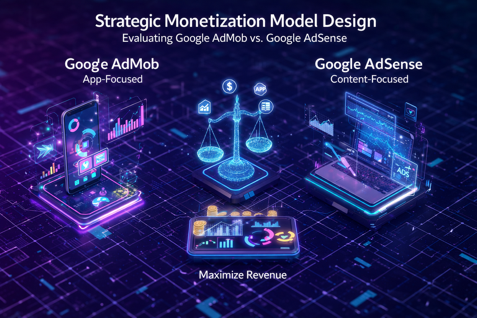
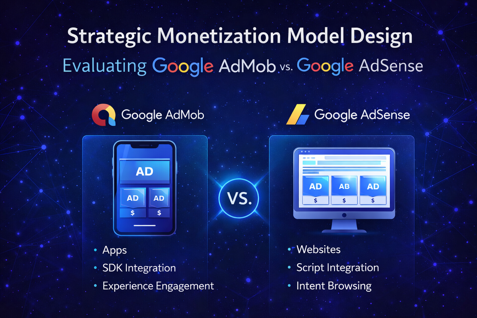
• Strengths: High scalability, strong LTV tracking via Firebase, OS-level
targeting.
• Weaknesses: Limited exclusively to app environments; ineffective on
the open web.
Google AdSense
• Strengths: Access to the largest web advertiser network, rapid
deployment on content platforms.
• Weaknesses: Highly sensitive to traffic volume; unsuitable for e-
commerce models.
⸻
5. Decision Roadmap and Long-Term Scalability
Business sustainability requires aligning digital assets with future
growth objectives.
Decision Logic Guidelines:
• If your product is a mobile app: Choose AdMob immediately. Its SDK-
centric architecture is essential for optimizing mobile monetization
and behavioral analytics.
• If your product is a content platform, blog, or YouTube channel:
AdSense is the standard choice. However, if your site is an e-
commerce store, alternative monetization models must be explored.
Strategic Warning
Using AdSense for app-like experiences (e.g., complex web apps)
typically results in low CTR and poor financial performance due to the
lack of native integration.
Final Recommendations for Scalability:
• Prioritize traffic growth: Neither platform performs well at low scale.
Focus on audience acquisition before ad optimization.
• Continuously monitor ARPU: Track revenue per user to ensure
financial health against server and maintenance costs.
• Leverage analytics: In AdMob-based models, use Firebase data to
personalize user experiences and extend session duration.
Final Statement
Precise alignment between platform and digital asset type is the
primary lever for maximizing Digital ARPU and ensuring financial
sustainability. Choosing the correct platform is not a technical
preference—it is a strategic necessity for scalable growth in today’s
competitive ecosystem.
https://kiaapp.xyz/wp-content/uploads/2025/09/favicon2-4-300x200.png00Kiahttps://kiaapp.xyz/wp-content/uploads/2025/09/favicon2-4-300x200.pngKia2026-02-13 20:24:152026-09-17 22:14:45Strategic Monetization Model Design: Evaluating Google AdMob vs. Google AdSense
Comprehensive Compliance Program and App Store Release Roadmap (2025 Edition)
1. Introduction: The Paradigm Shift in 2025 Review Standards
In the ultra-competitive landscape of 2025, success on the App Store is no longer merely a technical achievement—it is the result of a coherent pre-submission strategy. You must understand that Apple has adopted an extremely strict and ruthless stance toward incomplete or “unpolished” applications this year. Passing Apple’s review process requires a precise combination of legal transparency, absolute respect for user privacy, and visual perfection. Conscious preparation before pressing the submit button is the only way to avoid exhausting rejection cycles and to protect your brand credibility.
An analysis of the strategic impact of Apple’s strictness shows that it is rooted in protecting the ecosystem and user experience. Submitting an app with visual or technical flaws is a strategic mistake that signals a lack of professionalism to Apple. When an app is rejected for basic issues, you not only lose time-to-market but also damage reviewer trust for future versions. In 2025, Apple has left no room for trial and error in the live App Store environment.
Technical stability is the cornerstone of this roadmap; without a solid foundation, even the best metadata will not prevent rejection.
2. Technical Quality Assurance and Final Testing (Technical Polishing)
Relying on emulators is absolutely insufficient for 2025 standards and represents a major risk. You are required to test your app in real-world conditions and on physical devices. The goal at this stage is to identify and fix bugs that do not appear in isolated development environments.
Testing on physical devices: Use TestFlight to verify performance across different iPhone and iPad models.
Edge-case coverage: Carefully test behavior during network loss, low memory conditions, and system feature conflicts.
“Try to break it” strategy: Ask testers and beta teams to challenge the app with unconventional usage patterns.
Fix all identified bugs: Before submission, every issue—no matter how minor—must be resolved. Apple allows no exceptions.
Deep Analysis: Why reviewers are faster than you
Apple reviewers are specialists with institutional knowledge who have seen recurring failure patterns across thousands of apps. They are trained to identify edge cases that developers often overlook. Rejection due to basic bugs leads to an instant rejection, imposing significant operational costs on the team. Technical stability is the first trust test between you and Apple.
Once code stability is ensured, focus shifts to the storefront—the public reflection of your product’s internal quality.
3. Metadata Optimization and Storefront Strategy (Metadata & Visual Strategy)
Metadata is the first point of contact for both reviewers and users. Even the smallest inconsistency can cause approval delays or immediate rejection. Your storefront must go beyond listing features and clearly communicate problem-solving value.
Metadata Acceptance Standards (2025 Edition)
Screenshots: Must be high-resolution and correctly sized. Reusing old screenshots after UI changes is strictly prohibited.
Preview videos: Short, clear, and focused on real feature demonstrations; no misleading promotional content.
Name & keywords: Accurate, relevant, and non-repetitive. Keyword inconsistencies cause review delays.
Category & support URLs: Precise category selection and an active, valid support URL are mandatory.
Description: Avoid robotic language; focus on user problems and real value delivered by the app.
Value Justification Analysis
App descriptions should not be a copy-paste list of features. To build trust and increase conversion, speak directly to the user. Explain why the app exists and how it simplifies their life. A problem-solving focus differentiates your brand and supports Apple’s approval process.
Visual appeal and accurate metadata are meaningless without strict privacy compliance.
4. Privacy Justification Strategy and Sensitive Data Access
In 2025, privacy is not optional—it is a fundamental right that Apple protects obsessively. Any access to user data (camera, location, contacts, etc.) must be justified clearly, logically, and in user-friendly language.
Unlike previous years, you must explain the reasons for sensitive data access not only in technical metadata but also clearly in the App Store description:
Location: Explain how location access benefits the user (e.g., navigation or local services).
Camera & Microphone: Explicitly state that access is required for essential functionality (e.g., document capture or voice calls).
Health Data: If using HealthKit, clearly specify how the data supports health insights for the user.
The “Privacy Philosophy” Layer
Requesting unnecessary permissions is a strategic error that leads to rejection. Only request data essential to app functionality. Transparency here is the foundation of trust.
Once data transparency is established, the next step is proving legal ownership and brand identity.
5. Legal Compliance and Brand Ownership Verification
One guaranteed cause of rejection is a mismatch between the developer account name and the app’s brand. If the app belongs to a company, it must be submitted through that company’s business account.
Legal Documentation and Preventive Actions
Identity alignment: Developer name and app brand must fully match. Otherwise, prepare legal documents in advance (contracts, company registration, or trademark certificates).
Document readiness: Have brand ownership documents ready before submission to avoid review delays if requested.
Policy updates: Apple’s rules change rapidly. Regularly review the Apple Developer Program, as last month’s valid rule may cause rejection today.
Successful submission is only the beginning; an app’s survival depends on smart post-launch management.
6. Post-Launch Management and Long-Term Compliance
A successful app in 2025 is a living entity, not a static product. Apple does not favor abandoned or stagnant apps and may deprioritize them in search results.
Operational Guidelines to Maintain Momentum
Monitoring as an alert system: User reviews are the earliest indicators of overlooked bugs—treat them as early warning signals.
Human presence and trust: Respond quickly and respectfully to reviews, especially negative ones. Showing that a real human cares builds strong trust and loyalty.
Continuous updates: Improve performance, fix bugs, and add features to keep the app alive.
Final Note
Remember that launching is a learning curve. If you face rejection, do not take it personally—each rejection is strategic feedback to improve your product. App Store success is the intersection of flawless engineering, legal transparency, and mutual trust with users.
https://kiaapp.xyz/wp-content/uploads/2025/09/favicon2-4-300x200.png00Kiahttps://kiaapp.xyz/wp-content/uploads/2025/09/favicon2-4-300x200.pngKia2026-02-12 22:07:082026-09-17 21:42:57omprehensive Compliance Program and App Store Release Roadmap (2025 Edition)
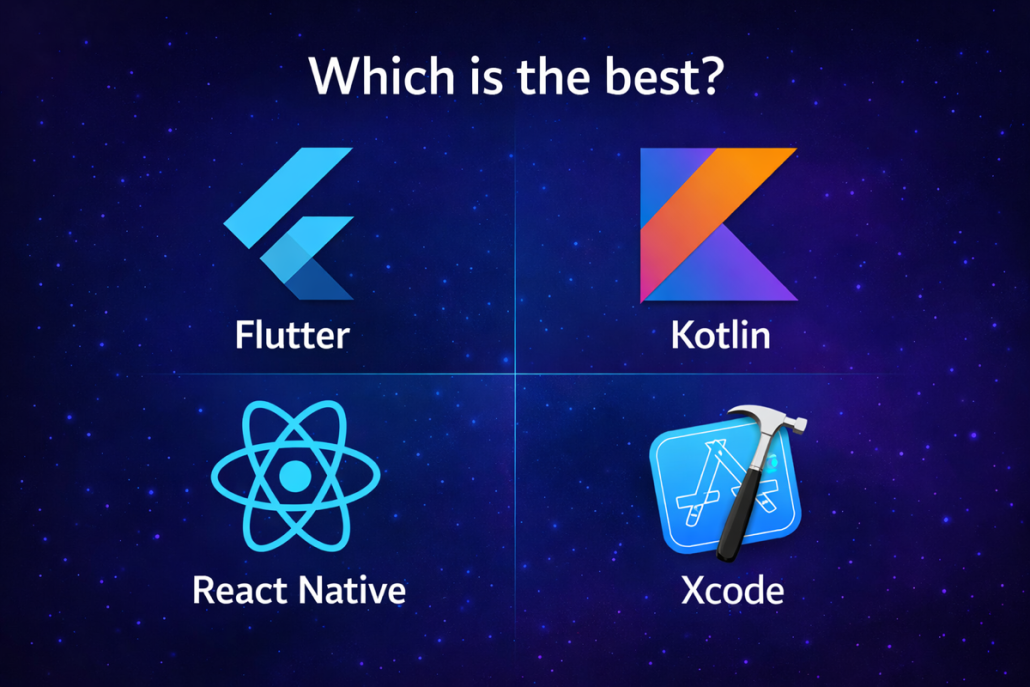
1. Objective and Scope Successfully releasing a mobile application is far more than a simple technical task; it is a strategic maneuver that directly impacts brand credibility and return on investment (ROI). The purpose of this SOP is to establish a repeatable and preventive framework for managing the release lifecycle, minimizing costly delays during app store review processes. This guideline covers all stages—from development environment configuration and digital asset management to post- launch monitoring and market feedback analysis. By rigorously following these standards, we ensure the final product is not only stable but also delivers a world-class user experience (UX). This level of infrastructural readiness is a prerequisite for proceeding to developer account configuration and architectural decision-making. ⸻ 2. Prerequisites and Developer Account Configuration Digital assets and organizational accounts must be managed with military-grade precision to prevent legal or operational deadlocks at launch. The choice of platform and core technology has long-term implications for development velocity and maintenance costs. Platform Infrastructure Comparison Key Metric Apple App Store (iOS) Google Play Console (Android) Subscription Cost Annual fee One-time fee Primary Dev Tool Xcode Android Studio Native Languages Swift / Objective-C Kotlin / Java Strategic Architecture Assessment: Native vs. Cross-Platform As a Release Manager, architectural decisions must align with business priorities: • Native Development: Provides maximum access to hardware features and superior performance. Essential for graphics-intensive or computation-heavy applications. • Cross-Platform Frameworks (React Native / Flutter): Embrace a “write once, run everywhere” approach to dramatically reduce time-to- market and development costs. From a DevOps perspective, their key advantages include improved code maintainability and, in some cases, over-the-air (OTA) updates without requiring store re-review. Once the development environment and architecture are finalized, the team must immediately move into production pipeline automation. ⸻ 3. Build Process and Automated Testing in the CI/CD Pipeline Quality assurance at scale requires eliminating human error through a robust CI/CD pipeline. The primary focus at this stage is versioning and artifact management to ensure traceability for every release candidate. CI/CD Execution Protocol: • Build & Versioning: Automated compilation of binaries with unique build numbers. • Unit & Integration Tests: Mandatory execution of XCTest for iOS and Espresso for Android on every pull request. • Device Farm Testing: Utilize services such as AWS Device Farm or BrowserStack to identify hardware-specific issues. • Strategic Threshold: Device farm testing is mandatory for Tier-1 releases or projects supporting more than 50 Android resolutions. For budget-constrained projects, defer this step to the final release- candidate phase. With technical artifacts finalized, the release candidate must be evaluated by real users and QA teams. ⸻ 4. Quality Assurance (QA) Cycle and Beta Test Management Our QA philosophy focuses on risk reduction through layered testing. Each version must pass three filtering stages to minimize crash risks at public release. Testing Phases: • Internal Testing: Rapid validation of new features by the engineering team. • Dogfooding: Real-world usage by internal staff to uncover hidden issues in daily scenarios. • Beta Testing: Distribution via TestFlight (up to 10,000 users for Apple) and Google Play Beta. Tester selection must be intentional to capture diverse network and hardware conditions. Stabilizing the build based on beta feedback paves the way for regulatory and organizational compliance. ⸻ 5. Compliance, ASO Optimization, and Internal Approvals Before final submission, the app must pass stakeholder approvals and stringent operational standards. Internal Approval & Technical Performance Checklist: • Performance Metrics: Crash rate below 1% and acceptable launch latency. • Compliance: Full review of privacy and data security policies in accordance with industry regulations. • UX Consistency: Complete alignment with brand visual identity. Dual ASO Strategy: • Metadata Optimization: Keyword engineering in titles and descriptions, plus localization for target markets to improve search ranking. • Creative Assets: High-impact screenshots and icons to increase conversion rates. Release notes should creatively highlight the value of the new version. Once documentation and stakeholder approvals are complete, the critical submission phase begins. ⸻ 6. Submission and Store Review Management Submitting to App Store Connect and Google Play Console requires readiness for review challenges. Review teams may apply strict scrutiny, making time management essential. Review Acceleration Protocol: • Reviewer’s Note: Always include clear instructions and access details for reviewers. • Demo Account: Provide a fully functional test account to bypass registration barriers. • Crisis Management: In case of rejection, avoid confrontation. Respond quickly with requested clarifications and prioritize required changes. Upon approval, the coordinated launch strategy is executed. ⸻ 7. Final Release and Post-Launch Operational Monitoring As a professional Release Manager, a 100% day-one rollout is not recommended. The objective is a controlled launch synchronized with marketing efforts. Staged Release Strategy: • Phased Release (iOS): Enable a 7-day gradual rollout to monitor issues at small scale. • Percentage Rollout (Android): Start with 5% of users and progressively increase to 100% after stability confirmation. • Marketing Synchronization: Precisely align launch timing with marketing campaigns to maximize initial impact. Post-Launch Monitoring: Release is not the end. Teams must continuously analyze analytics data and respond to store reviews. User feedback feeds directly into the development backlog, ensuring continuous improvement. Sustainable success in the mobile market depends on repeatedly executing this cycle based on real market demand.
https://kiaapp.xyz/wp-content/uploads/2025/09/favicon2-4-300x200.png00Kiahttps://kiaapp.xyz/wp-content/uploads/2025/09/favicon2-4-300x200.pngKia2026-02-10 21:38:412026-09-17 18:20:43Comprehensive Standard Operating Procedure (SOP) for Mobile App Release
By accessing and using this website, you agree to comply with and be bound by the following Terms of Service.
If you do not agree with these terms, please do not use this website.
1. Purpose of the Website
KiaApp provides informational and educational content related to:
Mobile application development
SwiftUI and Flutter
Backend technologies
Software development workflows and tools
All content is provided for educational and informational purposes only.
2. Intellectual Property Rights
Unless otherwise stated, all content published on KiaApp — including text, articles, graphics, and branding — is the intellectual property of KiaApp.
You may:
View and read content for personal use
Share links to articles with proper attribution
You may not:
Copy or republish content without permission
Use content for commercial purposes without written consent
3. User Responsibilities
By using this website, you agree not to:
Use the website for unlawful purposes
Attempt to damage, hack, or disrupt the website
Misuse or copy content in a misleading way
4. External Links
KiaApp may contain links to third-party websites for reference or additional information.
We do not control or take responsibility for the content, privacy policies, or practices of external websites.
Visiting external links is at your own risk.
5. Limitation of Liability
The content on KiaApp is provided “as is” without warranties of any kind.
KiaApp is not responsible for:
Errors or omissions in the content
Technical issues or website downtime
Any loss or damage resulting from reliance on the information provided
6. Changes to These Terms
We reserve the right to update or change these Terms of Service at any time.
Any changes will be effective immediately upon posting on this page.
7. Governing Law
These Terms shall be governed and interpreted in accordance with applicable international laws.
8. Contact Information
If you have any questions about these Terms of Service, please contact us:
📧 info@kiaapp.xyz
https://kiaapp.xyz/wp-content/uploads/2025/09/favicon2-4-300x200.png00Kiahttps://kiaapp.xyz/wp-content/uploads/2025/09/favicon2-4-300x200.pngKia2025-12-30 18:39:272026-09-18 11:52:11Terms of Service