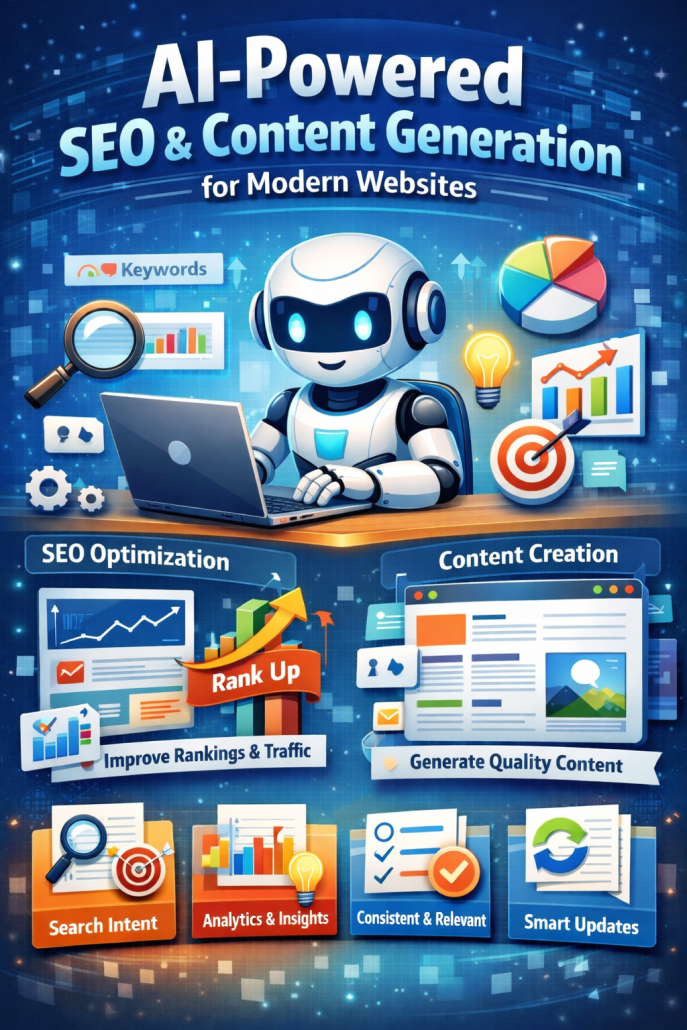
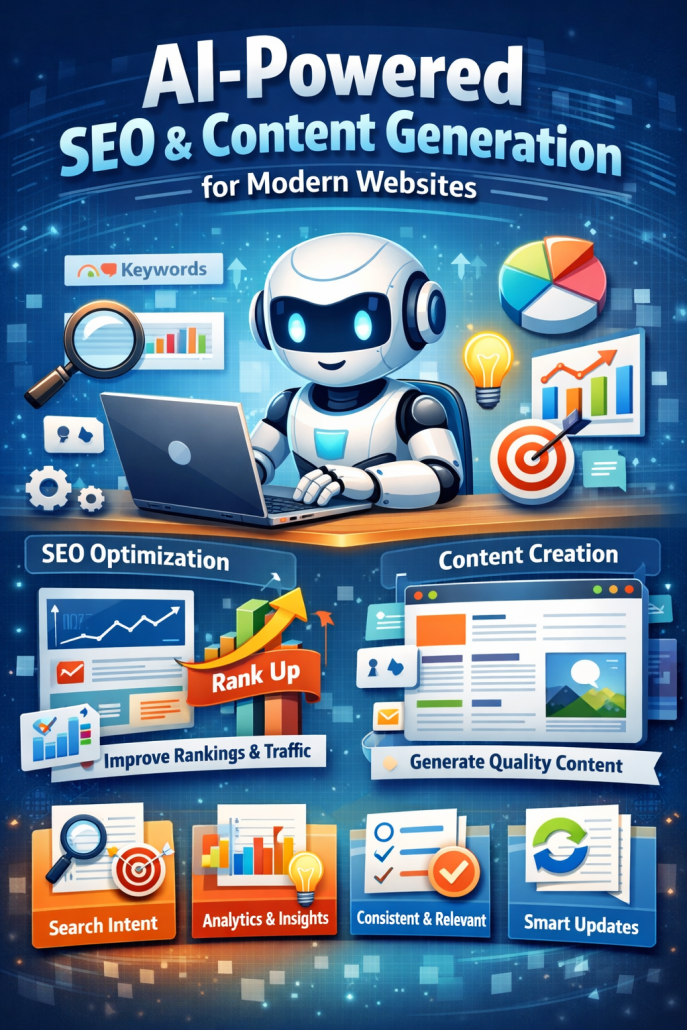
AI-Powered SEO & Content Generation for Modern Websites

AI-powered SEO and content generation tool for website optimization, keyword research, and automated content creation

AI-powered SEO and content generation have become central tools for

modern websites, changing how content is planned, written, and

optimized. What once required large teams, long research cycles, and

constant trial and error can now be done faster and more consistently

with the help of artificial intelligence. Yet the real value of these tools

is not in replacing human creativity, but in supporting it in practical

and scalable ways.

At its core, AI-powered SEO helps websites understand what people

are actually searching for and how search engines interpret content.

Instead of guessing which keywords might work, AI tools analyze

large volumes of search data, user behavior, and competitive content to

identify patterns. This allows website owners to focus on topics that

have real demand and realistic ranking potential. For a small business

or independent creator, this can level the playing field by revealing

opportunities that were previously hidden behind complex analytics.

Content generation is where AI becomes most visible. Modern AI

systems can draft blog posts, product descriptions, landing pages, and

FAQs in minutes. This speed is especially useful for websites that need

to publish regularly to stay relevant. However, the strongest results

come when AI is used as a first draft assistant rather than a final author.

A human editor can shape the tone, add real-world experience, and

ensure the message aligns with the brand. In this collaboration, AI

handles structure and efficiency, while humans provide meaning and

voice.

Another important advantage of AI-powered SEO is consistency.

Search engines reward clarity and structure, and AI tools are very good

at maintaining both. They can suggest logical headings, improve

internal linking, and ensure that content stays focused on a single topic

rather than drifting. Over time, this creates a website that is easier for

both users and search engines to navigate. Visitors benefit from clearer

answers, and search engines gain a better understanding of the site’s

purpose.

AI also helps with content maintenance, which is often overlooked.

Websites naturally age: statistics change, links break, and articles lose

relevance. AI tools can scan existing content and highlight where

updates are needed or where new content could strengthen an existing

topic cluster. This shifts SEO from a one-time effort into an ongoing,

manageable process.

Despite these strengths, AI-powered SEO has clear limits. Content that

is generated without human review can feel generic or disconnected

from real experience. Search engines are increasingly good at

recognizing shallow content that exists only to rank. More importantly,

users can sense when content lacks authenticity. Trust is built through

insight, clarity, and relevance, not just keyword coverage.

In the end, AI-powered SEO and content generation work best as quiet

partners in the background. They handle research, structure, and

optimization, freeing humans to focus on storytelling, strategy, and

genuine value. For modern websites, this balance is what turns

visibility into credibility and traffic into lasting engagement.

AI-Powered SEO & Content Generation for Modern Websites

AI-powered SEO and content generation has quietly

changed how modern websites grow, rank, and stay

relevant. Not in a flashy, “robots writing everything”

way—but in a very practical, human-friendly way that

helps teams work smarter instead of harder. Today, the

best websites don’t just publish more content; they

publish better, more targeted content, faster and with

clearer intent. This is where AI earns its place.

At its core, AI-powered SEO starts with understanding

search intent. Instead of guessing what users might be

searching for, AI tools analyze real queries, patterns,

and language people actually use. For example, a

business website might assume users search for

“enterprise solutions,” while AI reveals they’re really

typing “simple tools for small teams.” That insight

alone can completely change how a page is written—

and whether it ever gets found. AI helps bridge that

gap between what businesses want to say and what

users want to read.

Content generation is where most people first notice

AI, but the real value isn’t in pumping out generic

articles. Modern AI tools help structure content

properly: clear headings, logical flow, concise

explanations, and answers that match how people scan

pages today. A good example is a service page. Instead

of a long, unfocused block of text, AI can help break it

into short sections that explain what the service is,

who it’s for, how it works, and why it matters—exactly

the way both users and search engines prefer.

Another quiet advantage is consistency. Many websites

struggle because content is written by different people

at different times, with different tones and levels of

detail. AI helps maintain a consistent voice and

structure across blog posts, landing pages, FAQs, and

product descriptions. That consistency builds trust—

not just with search engines, but with real visitors who

feel the site is clear, reliable, and professional.

AI also improves SEO beyond writing. It can suggest

internal links, highlight missing topics, identify

outdated pages, and recommend updates based on new

search trends. Imagine a blog post written two years

ago that still gets traffic but slowly drops in rankings.

AI can flag it, suggest what’s missing, and help refresh

it without starting from scratch. This turns content into

a living asset rather than something you publish once

and forget.

What matters most is how AI is used. The strongest

results come when AI supports humans, not replaces

them. Humans bring experience, judgment, and

context. AI brings speed, pattern recognition, and

structure. Together, they create content that feels

natural, helpful, and genuinely useful—while still

being optimized for search.

In simple terms, AI-powered SEO and content

generation helps modern websites say the right things,

to the right people, in the right way, at the right

time. Not louder. Just smarter.

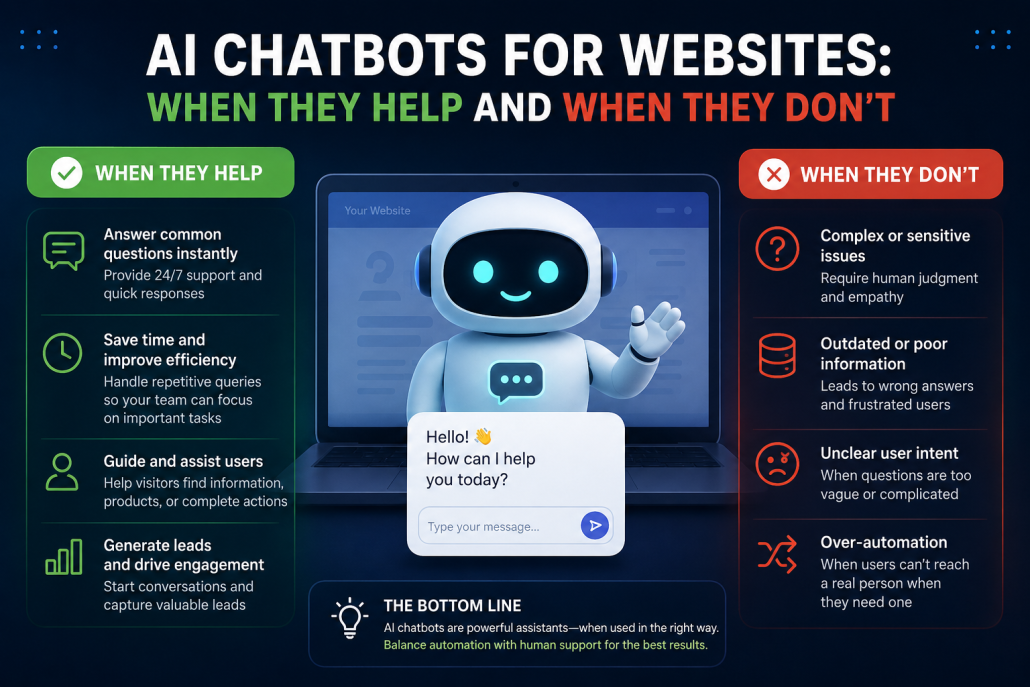
AI Chatbots for Websites: When They Help and When They Don’t

AI chatbots have quietly become a common feature on

modern websites. You see them in the corner of online

shops, service pages, and even personal blogs, offering

help before you’ve asked for it. When they are done

well, they can feel like a helpful assistant who is

always available. When they are done poorly, they

quickly become a source of frustration. Understanding

when AI chatbots help and when they don’t is essential

for anyone thinking about adding one to a website.

One of the clearest ways AI chatbots help is by

providing instant answers to simple, repetitive

questions. Visitors often arrive with basic needs:

opening hours, pricing ranges, shipping policies, or

how to contact support. A chatbot that is trained on the

site’s content can respond immediately, without

making users search through menus or wait for an

email reply. This is especially valuable outside

business hours, when human support is unavailable. In

these cases, the chatbot reduces workload for support

teams while improving the visitor’s experience at the

same time.

Chatbots are also useful as guides rather than problem-

solvers. On larger websites, people often feel lost. A

well-designed chatbot can ask a short clarifying

question and point users to the right page, product, or

form. For example, on a service website, it might help

a visitor understand which service fits their situation,

or on an e-commerce site, it might narrow down

product categories. Here, the chatbot’s value is not

intelligence in a human sense, but speed and clarity.

However, AI chatbots stop being helpful when they

pretend to be more capable than they are. Many

frustrations come from bots that give vague, incorrect,

or overly confident answers to complex questions.

When a user has a specific problem, an emotional

concern, or a case that requires judgment, a generic AI

response can feel dismissive or even misleading. This

is particularly risky in areas like healthcare, legal

advice, or financial decisions, where wrong guidance

can have real consequences.

Another common failure happens when chatbots block

access to humans. If users are forced to argue with a

bot before reaching real support, trust erodes quickly.

People generally accept automation when it saves time,

but they resent it when it becomes a gatekeeper. A

good chatbot knows when to step aside and offer a

clear path to human help.

In the end, AI chatbots work best when they are

designed with humility. They should focus on

answering what they know well, guiding users gently,

and being transparent about their limits. They fail

when they try to replace human understanding instead

of supporting it. Used thoughtfully, chatbots can make

websites feel more responsive and welcoming. Used

carelessly, they remind visitors how much they miss

talking to a real person.

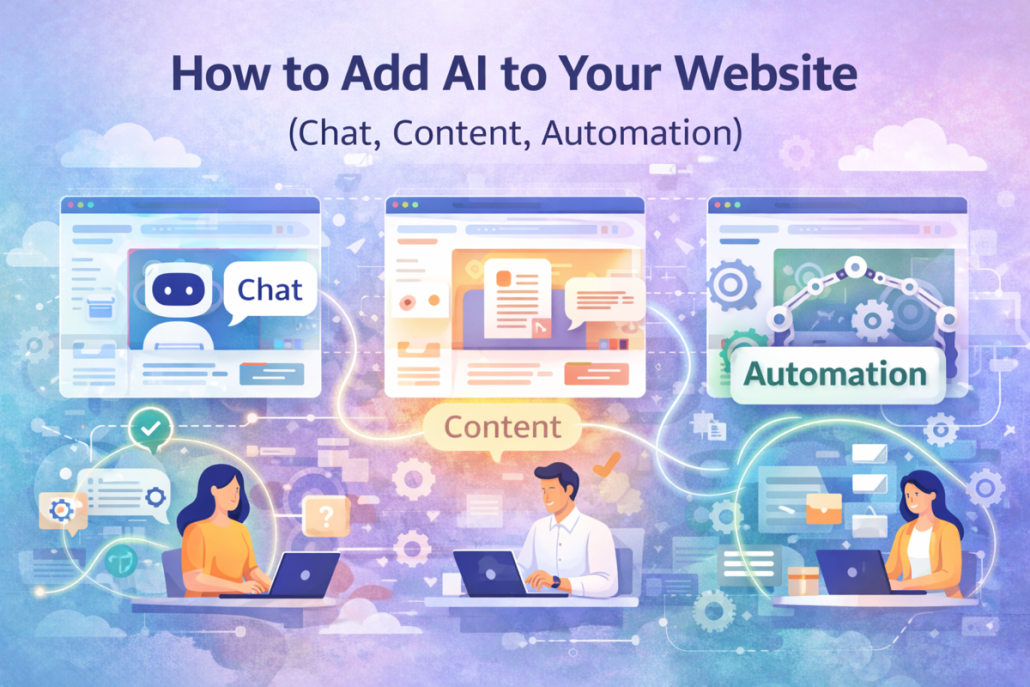
How to Add AI to Your Website (Chat, Content, Automation)

Adding AI to your website is best approached as a practical upgrade,

not a technical overhaul. The goal is to improve how your website

communicates, works, and responds—both for visitors and for your

internal team. Instead of thinking about AI as something complex or

disruptive, it helps to see it as a layer that enhances what already

exists. By focusing on chat, content, and automation, businesses can

introduce AI in a way that feels natural, useful, and immediately

valuable.

One of the most visible and effective ways to add AI to a website is

through AI-powered chat. An AI chat assistant can guide visitors,

answer common questions, and help users find information quickly

without waiting for human support. When trained on your website

content, FAQs, and documents, the chatbot can respond accurately and

consistently, using language that matches your brand. This improves

user experience, reduces support workload, and keeps your website

helpful around the clock. Importantly, a well-designed AI chat system

knows when to hand over to a human, ensuring that complex or

sensitive conversations are handled properly.

AI also plays a powerful role in content creation and optimization.

Many websites struggle with keeping content fresh, clear, and aligned

with search engine requirements. AI can support this process by

helping draft blog posts, service descriptions, product pages, and

FAQs. Rather than replacing human creativity, AI works as a writing

assistant—turning ideas into structured text, improving readability, and

suggesting SEO-friendly improvements. This allows businesses to

publish content more consistently while maintaining their own tone

and message. Over time, AI-assisted content helps websites stay

relevant, informative, and easier to maintain.

Automation is where AI delivers some of the most concrete business

benefits behind the scenes. AI-driven automation connects different

parts of your website and internal systems to reduce manual work. For

example, when someone submits a contact form, AI can analyze the

message, summarize it, categorize the request, and send it to the right

team member automatically. AI can also trigger follow-up emails,

update CRM systems, or flag urgent inquiries. These small

automations add up, saving time, reducing errors, and improving

response speed without requiring constant human intervention.

Successful AI integration depends heavily on simplicity and usability.

AI tools should blend seamlessly into your website, using clear

interfaces and behaving in predictable ways. Visitors should

understand what the AI can help with, and teams should feel

comfortable managing and improving it. Monitoring performance,

reviewing interactions, and refining responses are essential steps to

keep AI accurate and aligned with business goals. AI works best when

it is treated as a living system that evolves with your website and your

audience.

In the end, adding AI to your website is about making it smarter, more

responsive, and easier to manage. By combining chat, content, and

automation thoughtfully, businesses can create a website that not only

looks good, but actively supports users and operations. When

implemented with clear intent and ongoing care, AI becomes a reliable

tool that enhances efficiency, improves user experience, and supports

long-term growth.

How to Add AI to Your Website (Chat, Content, Automation)

Adding AI to your website is no longer about building

complex systems or replacing everything you already

have. It starts with understanding how visitors interact

with your site and identifying where AI can genuinely

improve their experience or reduce manual work for

your team. The most effective approach is to think of

AI as an enhancement layer—one that supports

communication, content creation, and automation

without disrupting your existing structure. By

introducing AI gradually and with clear goals,

businesses can see real value quickly while keeping

full control over how the technology is used.

One of the most common entry points for AI on a

website is AI-powered chat. An AI chatbot can act as

a 24/7 assistant, answering frequently asked questions,

guiding visitors to the right pages, and helping users

find products or services faster. Instead of relying

solely on pre-written scripts, modern AI chat systems

can be trained on your website content, documentation,

and FAQs. This allows them to respond in a natural,

human-like way while staying aligned with your

business. When designed properly, AI chat reduces

support workload, improves response times, and

increases visitor engagement—without replacing

human support where it matters.

Another powerful area is AI-assisted content. AI can

help generate and improve website content such as

blog posts, service descriptions, product pages, and

even FAQs. The key is not to let AI replace your voice,

but to use it as a drafting and optimization tool. AI can

turn rough ideas into structured text, suggest

improvements for clarity and SEO, and help keep

content consistent across the site. This is especially

useful for businesses that struggle to update their

websites regularly. By using AI to support content

creation, teams can publish more frequently, stay

relevant, and focus their energy on strategy rather than

writing from scratch.

Automation is where AI delivers some of the most

tangible business benefits. AI-driven automation can

connect forms, emails, databases, and internal tools to

reduce repetitive tasks. For example, when a visitor

fills out a contact form, AI can summarize the request,

categorize it, and route it to the right person

automatically. AI can also trigger follow-up emails,

update CRM records, or flag urgent inquiries. These

automations save time, reduce errors, and ensure that

no important requests fall through the cracks. Most

importantly, they allow teams to focus on higher-value

work instead of routine administration.

To successfully add AI to a website, integration and

usability are critical. AI tools should feel like a natural

part of the site, not an add-on that confuses users. This

means designing clear interfaces, setting realistic

expectations for what AI can and cannot do, and

maintaining transparency with visitors. It is also

important to monitor performance and gather feedback.

AI systems improve over time, and regular

adjustments help ensure accuracy, relevance, and

alignment with business goals.

Ultimately, adding AI to your website is not a one-time

project, but an ongoing process of improvement. When

chat, content, and automation work together, AI

becomes a practical tool that enhances user experience,

increases efficiency, and supports business growth. By

focusing on real needs, starting small, and improving

continuously, businesses can successfully integrate AI

into their websites in a way that is sustainable, reliable,

and genuinely useful.

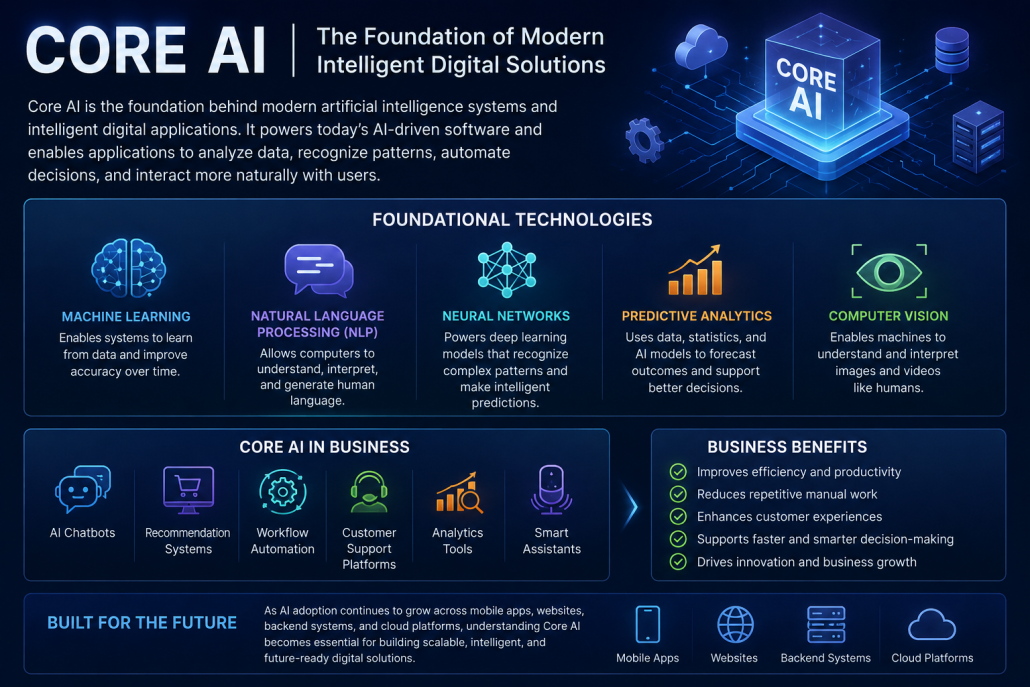
Core AI (Foundational)

Core AI infographic showing machine learning, natural language processing, neural networks, predictive analytics, computer vision, AI automation, and intelligent digital business solutions.

Core AI is the foundation behind modern artificial intelligence systems and intelligent digital applications. Technologies such as machine learning, natural language processing (NLP), neural networks, predictive analytics, and computer vision form the core infrastructure that powers today’s AI-powered software. These Core AI technologies allow applications to analyze data, recognize patterns, automate decisions, and interact more naturally with users.

In modern business environments, Core AI is used in AI chatbots, recommendation systems, workflow automation, customer support platforms, analytics tools, and smart assistants. Businesses increasingly rely on foundational AI systems to improve efficiency, reduce repetitive manual work, enhance customer experiences, and support faster decision-making. As AI adoption continues to grow across mobile apps, websites, backend systems, and cloud platforms, understanding Core AI becomes essential for building scalable, intelligent, and future-ready digital solutions.

 From Idea to Real Implementation in paragraph like human

AI for businesses usually begins with an idea rooted in a real

challenge, not in technology trends. The first step is understanding

what is not working well today—where time is wasted, customers

get confused, or decisions rely too much on guesswork. At this

stage, we translate a vague idea into a clearly defined business

problem that AI can realistically solve.

Example: A company notices that customers keep asking the same

questions by email. The idea is not “use AI,” but “reduce repetitive

support work while responding faster.”

Once the goal is clear, the next step is choosing the right AI

approach. Not every problem needs advanced models or complex

systems. Sometimes a simple AI chatbot, content generator, or

automation workflow is enough. The focus is on selecting a solution

that is reliable, easy to maintain, and understandable for the team

using it.

Example: Instead of building a complex support system, a business

starts with a chatbot trained only on its FAQ and product pages to

handle common questions.

After that comes building and integrating the solution into daily

operations. This is where the idea becomes real. The AI is

connected to existing tools such as websites, apps, email systems,

or internal databases. It is tested with real scenarios to make sure

it behaves correctly and supports users instead of creating friction.

Example: The chatbot is integrated into the website and connected

to the contact form so unanswered questions are automatically

forwarded to the support team with a summary.

Finally, real implementation means continuous improvement and

long-term value. AI is not a one-time setup. After launch, we

monitor how it is used, collect feedback, and improve its accuracy

and usefulness over time. As the business grows or changes, the AI

evolves with it.

Example: As new products are added, the chatbot is updated with

fresh content, and analytics reveal which questions customers ask

most—helping the business improve both support and product

pages.

A Practical Approach to AI Solutions for Businesses

We build practical AI solutions by focusing first on real business

needs, not on trends or buzzwords. Every project starts with a clear

understanding of how your business operates day to day—where time

is lost, where decisions are delayed, and where repetitive work slows

your team down. Instead of pushing complex or unnecessary AI, we

identify the exact point where AI can make a measurable difference,

such as improving customer communication, automating internal tasks,

generating content, or turning data into clear insights.

Once the problem is clearly defined, we select the right AI approach

for the job. This may involve chatbots trained on your own content,

workflow automation connected to your existing tools, AI-assisted

content creation, or analytics systems that highlight patterns and

opportunities. Our goal is always simplicity and reliability. The

solution must be easy to use, easy to maintain, and understandable by

non-technical users inside your organization.

We then move into design and integration, making sure the AI fits

naturally into your current website, app, or internal systems. We

integrate with tools you already use—such as email, CRM, forms,

databases, or mobile apps—so the AI becomes part of your workflow

rather than an extra layer of complexity. Throughout this phase, we test

the system with real scenarios to ensure it behaves correctly, produces

useful results, and supports your business processes instead of

disrupting them.

Finally, we focus on long-term value and improvement. After

deployment, we monitor how the AI is used, gather feedback, and fine-

tune the system over time. As your business grows or changes, the AI

can be adjusted and expanded accordingly. Our approach ensures that

the AI solution delivers continuous value, reduces manual effort,

improves decision-making, and remains aligned with your business

goals—not just at launch, but well into the future.

AI Solution

AI Solutions help businesses use artificial

intelligence in a practical and meaningful way.

Instead of focusing on tools or buzzwords, the goal

is to solve real problems—such as automating

repetitive tasks, improving customer interactions,

and making apps or websites more efficient.

Whether it’s adding smart features to a mobile app,

integrating AI-driven chat and lead qualification on

a website, or advising on where AI actually makes

sense, the focus is always on clear outcomes: saving

time, reducing costs, and supporting long-term

growth with simple, maintainable solutions.

Comprehensive App Distribution and Release Strategy for the App Store

his document has been prepared by the Release Strategy Team as the final protocol for managing distribution, pricing, and launch logistics within the Apple ecosystem. Our goal is to transform a technical Xcode project into a powerful commercial product—one that goes beyond technical standards and performs at the highest level in both business impact and user experience.


1. Strategic Foundations of Metadata and Brand Identity

(Metadata & Brand Identity)

From a strategist’s perspective, metadata is not merely a set of informational fields; it is the first cornerstone of App Store Optimization (ASO) and the foundation of your brand identity. Precision in this area directly drives visitor-to-user conversion rates.

Title and Subtitle Optimization

App naming must follow a brand-protection mindset. The app name must be globally unique within App Store Connect; if a name has already been reserved by another developer, Apple will not permit its use.

The subtitle should communicate the core value proposition in the shortest possible time.

Visual Asset Management

To gain the trust of professional users, leveraging the full capacity of 10 screenshots is strongly recommended. Strategically, at least one App Preview video should be uploaded to capture user attention within the first three seconds.

If the app supports iPad or Apple Watch, providing platform-specific visual assets is essential to maintain brand prestige.

Dynamic Text Strategy

Developers must clearly understand the functional difference between Promotional Text and Description.

Promotional Text is the only section that can be edited at any time without submitting a new app version—making it a critical tool for rapid marketing campaigns.

In contrast, changes to the Description or Keywords require submitting a new update.

Keyword Management

Within the 100-character keyword limit, every character is valuable. Separate keywords with commas without spaces to preserve maximum space for strategic terms.

Strategic Insight (Why it matters)

Precise copyright handling (e.g., inserting the © symbol using Option+G) and selecting a unique app name send strong signals of professionalism to Apple’s review team. This technical rigor minimizes rejection risk and prevents future legal conflicts.

Transition

Once brand identity is established, the next step is defining the app’s geographic reach and hardware boundaries.


2. Platform Distribution and Regional Availability

(Global Reach & Platform Scope)

Presence across Apple’s hardware ecosystem is the key to business scalability. A strategist must deliberately decide where the app should operate within Apple’s hardware landscape.

Distribution on New Hardware Generations

By default, distribution options for Apple Silicon Macs and Apple Vision Pro are enabled. Strategically, keeping these options active allows cost-free entry into the emerging Spatial Computing market—unless specific technical limitations prevent proper functionality.

Global Availability Management

The app may be released worldwide or restricted to selected regions based on market analysis, support capacity, and local regulatory requirements.

Distribution Methods

  • Public Distribution: The standard approach for mass-market user acquisition.
  • Private Distribution: Via Apple Business Manager or School Manager, suitable for apps developed exclusively for internal use or specific organizations.

Strategic Insight (Why it matters)

Simultaneous availability on iPhone, iPad, and Vision Pro embeds the app deeply into the user’s digital ecosystem, expanding its value across all major Apple platforms.

Transition

With hardware scope defined, attention shifts to revenue architecture and monetization strategy.


3. Pricing Architecture and Subscription Models

(Pricing Architecture & Subscriptions)

Pricing is a positioning tool. Selecting the right price tier must align with target market expectations and the value delivered.

Price Schedule Configuration

Apps can be offered as Free or assigned to specific pricing tiers. Prices should be regionally adjusted to reflect local purchasing power.

Category Selection and ASO

Choosing the correct Primary and Secondary categories has a direct impact on discoverability and ranking. Smart categorization places the app in front of more qualified users.

Advanced Subscription Management

For revenue sustainability, using an App-Specific Shared Secret is mandatory—especially when relying on third-party subscription services. This security key acts as the bridge between your servers and Apple’s systems.

Age Rating

This step goes beyond a simple form. Mismatches between actual content and the selected age rating are among the most common causes of late-stage rejections.

Strategic Insight (Why it matters)

A flexible pricing strategy combined with accurate categorization smooths user acquisition across diverse markets and reduces rejection risk due to content misalignment.

Transition

Once the business model is finalized, all technical and security pathways must be cleared for App Review.


4. Technical Readiness, Security, and Review Protocols

(Technical Readiness & Review)

Technical transparency with Apple’s App Review Team minimizes review time (typically 2–3 days). Any ambiguity at this stage results in lost launch momentum.

Critical Version Matching

A strict requirement applies: the version number in App Store Connect (e.g., 1.0.1) must exactly match the version defined in the Xcode project. Any discrepancy can lead to processing delays or system errors.

Build and Icon Management

After a successful upload, app icons are automatically extracted from the build. Ensuring that all required icon sizes are properly configured in Xcode is mandatory.

Reviewer Access Protocols

If the app requires authentication, providing a test (dummy) account is essential.

Special Note

If Sign in with Apple is the only authentication method, enter dummy / dummy in the access field and clearly explain in the Notes section that the app relies on Apple’s authentication system.

Additional explanations of complex app features in the Notes section can significantly accelerate the review process.

Encryption Documentation

If any form of custom encryption is used, submitting the appropriate Encryption Documentation is mandatory to comply with software export regulations.

Strategic Insight (Why it matters)

Attention to technical detail and frictionless reviewer access dramatically reduce repeated rejections and strengthen the developer’s credibility with Apple.

Transition

With technical validation complete, the final strategic decision concerns precise control over launch timing.


5. Release Strategy and Final Launch Control

(Release Triggers & Launch Control)

The release moment must align with peak marketing activity. Choosing the correct release mechanism separates a successful launch from a silent one.

Release Mechanisms

Automatic Release

  • Publishes immediately after Apple approval
  • Best suited for bug fixes or low-profile releases

Manual Release

  • Publication is held until the developer triggers it
  • Strategic recommendation: Ideal for full alignment with marketing campaigns

Scheduled Release

  • Publishes at a specific date and time (not earlier)
  • Best for coordinated global launches tied to events

Final Pre-Submission Checklist (Add for Review)

  • Xcode version matches App Store Connect (e.g., 1.0.1)
  • All 10 screenshots uploaded, including iPad/Watch assets
  • Contact details and demo account (or Sign in with Apple note) provided
  • Primary and Secondary categories selected for ASO
  • All metadata changes saved

Strategic Insight (Why it matters)

Manual Release gives product leaders full control to ensure backend infrastructure and marketing campaigns are fully ready before triggering global publication.


Final Statement

This distribution strategy transforms an application from a technical codebase into a globally scalable commercial product, fully prepared to compete in the world’s most demanding app marketplace.