Renewing the I-9 web app and clearing the old copy in Chrome
To renew the web app on the live site, start in the host File Manager and open public_html/work/I-9. That folder is the one the address https://kiaapp.xyz/work/I-9/index.html reads. Delete the old files already in I-9, then upload the new zip and extract it in the same folder. After extracting, index.html must sit directly inside I-9, next to main.dart.js, flutter.js, and the assets folder. Keep the file name index.html. The site is set to open that name, so a renamed page such as webapplication.html is handed back as the same index.html.
When the upload is finished, open https://kiaapp.xyz/work/I-9/index.html. The new files can already be on the host while the window still shows the previous app: the blue buttons, the black video, and the old layout. The browser has saved that copy and keeps using it. Clearing the host folder does not clear the copy stored on the Mac.
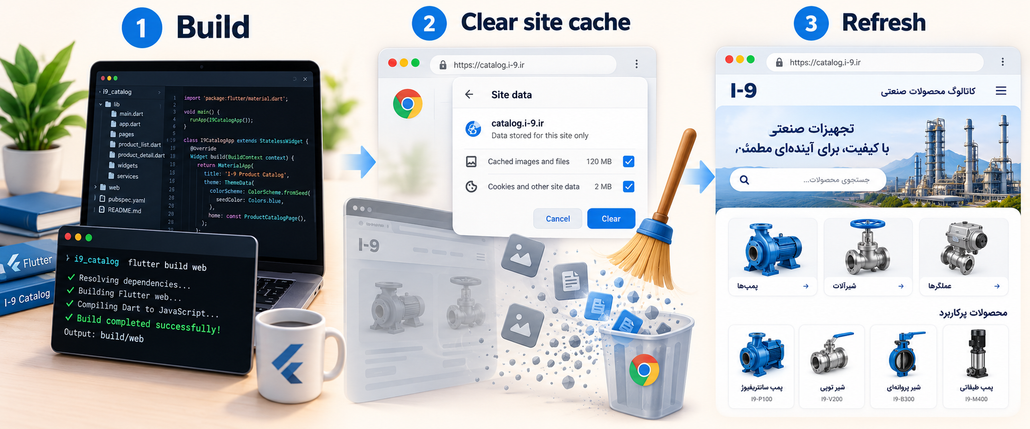
On a Mac, press Command+Option+I and leave the developer tools open. Select Application in the top bar of the tools, then select Storage. The Storage page shows Clear site data for https://kiaapp.xyz/. Leave these boxes checked: Cache storage, IndexedDB, Local and session storage, Unregister service workers, and Cookies. Click Clear selected. The usage figure should drop to a few kilobytes. That removes the saved site data for this address.
The tools also have to stay open for the next step, because the command that throws away the saved page files appears only then. Look at the top of the Chrome window, above the tools. On the left side of the address bar there is a round arrow. That arrow is the reload button. Right-click the arrow. A short menu opens with three lines, and the third line is Empty Cache and Hard Reload. Click that line. Chrome downloads the pages from the host again, including the new main.dart.js, and the product poster can replace the old screen.
Right-clicking the address text opens a different menu, with Look Up, Cut, Copy, and Paste. Close that menu with Escape and use the round arrow instead. The Storage page also has no Empty Cache and Hard Reload line. Clear selected and the reload arrow are two separate actions, and both belong in this cleanup.
After the reload, the address should remain https://kiaapp.xyz/work/I-9/index.html. The renewed app shows a search field, the product poster with the generator, valve, and power station, the green WhatsApp button, and the row of social icons. If a normal window still shows the old screen, open a New Incognito Window from the Chrome menu and paste the same address there. The private window has no saved copy, so it shows whatever the host is serving now.