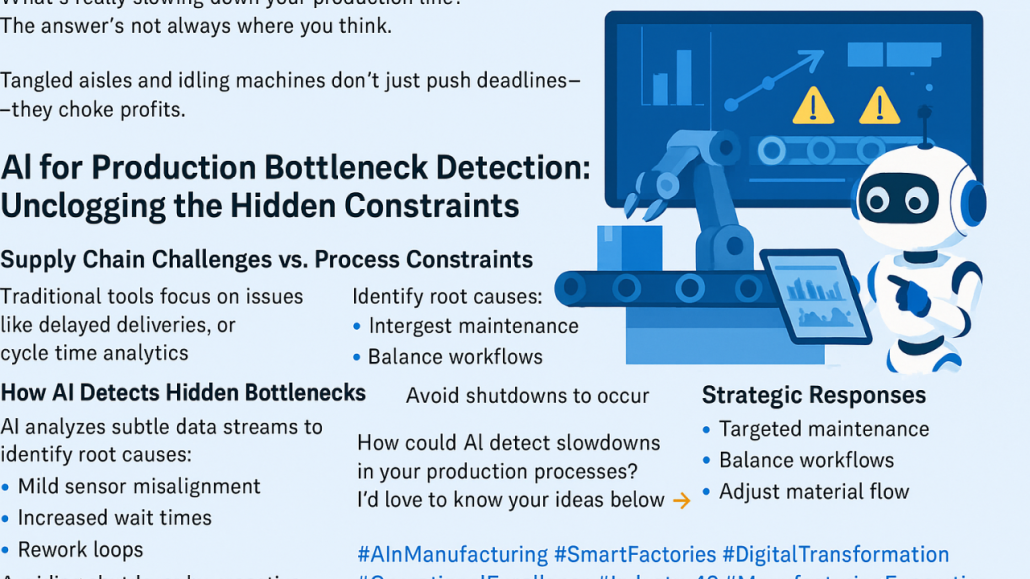
This image presents a clear and practical explanation
of how AI can identify hidden bottlenecks and inefficiencies in production and operational
environments—issues that often remain invisible when
relying on traditional monitoring tools. The visual
composition combines industrial elements, data
dashboards, and a friendly AI robot, symbolizing the
collaboration between human teams, machines, and
artificial intelligence. Rather than portraying AI as a
replacement for people, the image positions it as an
intelligent assistant that observes, analyzes, and
supports better decision-making.
At the core of the image is the idea that what slows
down production is not always obvious. Conveyor
belts, robotic arms, and dashboards represent modern
production systems that appear automated and efficient
on the surface. However, warning icons and
highlighted data points on the screens suggest that
problems can exist beneath this smooth exterior. The
text emphasizes that tangled workflows, idle machines,
or subtle process mismatches do not just delay
deadlines—they directly impact profitability. This
framing shifts the conversation from technical
optimization to business impact, making the message
relevant for both operational teams and decision-
makers.
The left side of the image explains the limitations of
traditional tools. Conventional analytics often focus on
visible symptoms such as delayed deliveries, missed
targets, or overall cycle times. While these indicators
show that something is wrong, they rarely explain why.
AI, by contrast, analyzes continuous data streams
across machines, sensors, workflows, and timing. It
can detect small but meaningful signals—slight sensor
misalignments, gradually increasing wait times
between steps, or repeated rework loops—that slowly
erode efficiency. These issues are easy to overlook
individually, but together they can choke throughput
and margins.
A key strength highlighted in the image is AI’s ability
to identify root causes rather than surface-level
problems. By correlating data across multiple systems,
AI can reveal how one small constraint affects the
entire process. This enables organizations to move
from reactive firefighting to proactive optimization.
Instead of responding only after a breakdown or major
delay, teams can address issues early, before they
escalate into shutdowns or lost revenue.
On the right side, the image focuses on action. AI
insights are translated into strategic responses such as
targeted maintenance, balancing workloads, and
adjusting material flow. This reinforces an important
point: AI analytics are only valuable if they lead to
practical decisions. The visual flow from detection to
response shows AI as a bridge between data and
execution, helping teams act with precision rather than
guesswork.
Overall, the image communicates a strong narrative
about modern operations. Complex systems generate
vast amounts of data, but insight does not emerge
automatically. AI serves as the layer that brings clarity,
uncovering hidden constraints and drop-offs that
humans alone might miss. By making inefficiencies
visible and actionable, AI helps organizations run
smoother operations, reduce waste, and protect profits.
The message is clear and grounded in reality: AI is not
about futuristic promises, but about solving real,
everyday problems that slow businesses down.
https://kiaapp.xyz/wp-content/uploads/2025/09/favicon2-4-300x200.png00Kiahttps://kiaapp.xyz/wp-content/uploads/2025/09/favicon2-4-300x200.pngKia2026-02-16 23:09:522026-09-17 19:56:45How AI Helps Identify Bottlenecks and Drop-Offs
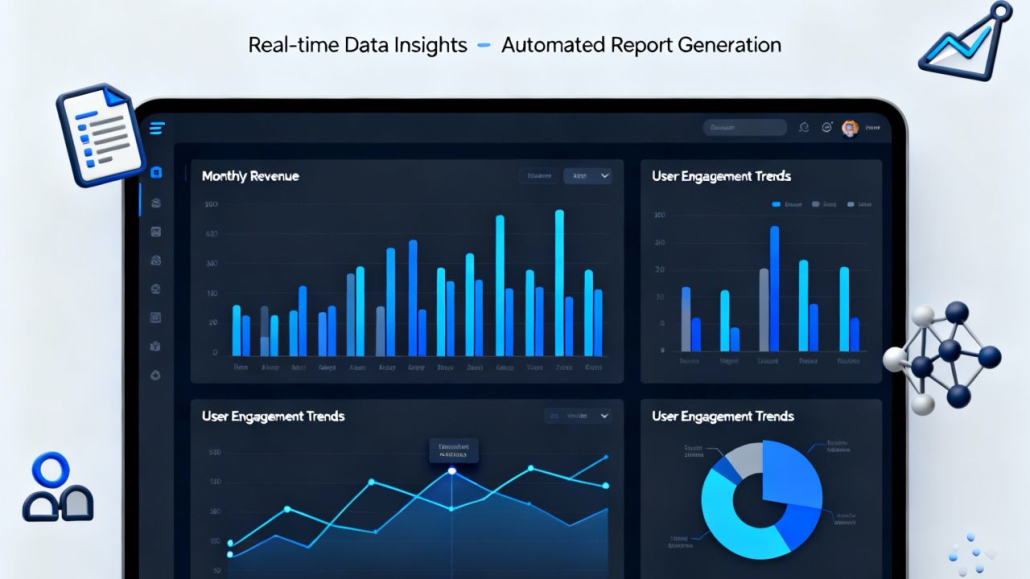
This image presents a clear and modern vision of how
businesses move from raw data to confident decisions
using AI-driven analytics. At the center is a sleek,
dark-themed dashboard displayed on a tablet-like
interface, immediately signaling professionalism,
control, and real-time awareness. The design reflects a
real-world business environment where leaders rely on
dashboards to understand performance at a glance,
rather than digging through spreadsheets or static
reports.
The charts shown—monthly revenue bars, user
engagement trends, line graphs, and a segmented pie
chart—represent different layers of insight working
together. Revenue data shows growth patterns over
time, helping decision-makers understand momentum,
seasonality, and performance changes. Engagement
charts reveal how users interact with a product or
service, highlighting peaks, drops, and behavioral
shifts that would otherwise remain hidden. Together,
these visuals communicate that AI analytics is not
about a single metric, but about connecting multiple
signals into a coherent picture.
The headline at the top, “Real-time Data Insights –
Automated Report Generation,” reinforces the core
message: insight is no longer delayed. Instead of
waiting for manual reports or end-of-month
summaries, businesses can see what is happening now.
AI enables continuous analysis, transforming live data
into structured insights without constant human
intervention. This shift from reactive reporting to
proactive awareness is one of the most important
changes AI brings to modern decision-making.
Supporting icons around the dashboard—documents,
charts, user symbols, and data structures—subtly
emphasize the ecosystem behind the interface. They
suggest that data flows in from many sources: users,
systems, reports, and external inputs. AI acts as the
connective tissue that brings these sources together,
cleans the data, identifies patterns, and presents only
what matters most. The result is clarity instead of
overload.
Visually, the clean layout and balanced composition
suggest trust and usability. The interface does not feel
overwhelming, even though it contains complex
information. This reflects an important principle of
practical AI: complexity should exist behind the
scenes, not in front of the user. Decision-makers should
feel supported, not intimidated, by the tools they use.
Overall, the image communicates a powerful narrative
about modern business intelligence. Data alone is no
longer enough. Value emerges when data is translated
into insight, insight into recommendations, and
recommendations into action. This dashboard
represents that final step—where AI helps businesses
move confidently from numbers to decisions. It shows
a future where leaders are better informed, teams are
more aligned, and decisions are based on evidence
rather than intuition alone.
https://kiaapp.xyz/wp-content/uploads/2025/09/favicon2-4-300x200.png00Kiahttps://kiaapp.xyz/wp-content/uploads/2025/09/favicon2-4-300x200.pngKia2026-02-16 22:51:542026-09-17 21:50:42Practical AI Insights for Businesses: From Data to Decisions
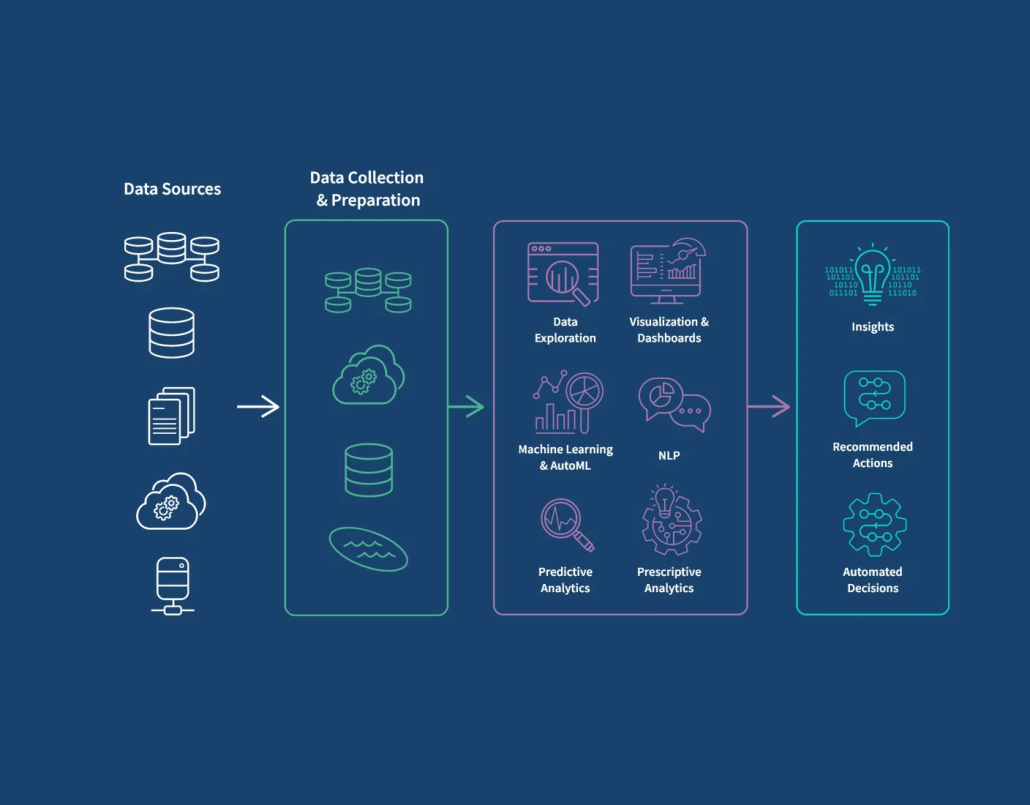
This diagram shows a clear, end-to-end view of how
AI analytics turns raw data into real business
decisions.
It starts on the left with data sources—databases,
documents, cloud systems, and applications. This
represents the reality of most businesses: data is
scattered across many tools and formats. On its own,
this data has limited value.
The next stage is data collection and preparation.
Here, information is gathered, cleaned, structured, and
stored in a way that makes analysis possible. This step
is critical, because AI can only be effective if the
underlying data is reliable and well-prepared. Think of
it as laying a solid foundation before building
anything intelligent on top.
In the middle, the diagram shows the AI analytics
core. This is where data becomes understanding.
Techniques like data exploration, dashboards, machine
learning, natural language processing, and predictive
analytics are used to uncover patterns, trends, and
signals that are hard to see manually. Instead of just
reporting what happened, AI starts answering deeper
questions like why it happened and what is likely to
happen next.
On the right side, everything comes together as
insights, recommended actions, and automated
decisions. This is the most important part from a
business perspective. The goal is not charts or models,
but outcomes—clear insights that people can act on,
suggestions that improve decisions, and automation
that reduces manual effort. At this stage, AI moves
from analysis to impact.
Overall, the image illustrates a simple but powerful
idea: AI analytics is a pipeline, not a single tool. When
data flows correctly through these stages, businesses
can move from information overload to clarity, from
guessing to knowing, and from reactive decisions to
proactive ones.
https://kiaapp.xyz/wp-content/uploads/2025/09/favicon2-4-300x200.png00Kiahttps://kiaapp.xyz/wp-content/uploads/2025/09/favicon2-4-300x200.pngKia2026-02-16 22:18:032026-09-17 22:44:51Using AI Analytics to Understand User Behavior
departments. These processes are essential for keeping
the business running, but when they rely heavily on
manual effort, they slow teams down and increase the
risk of errors. AI automation focuses on streamlining
this internal work so operations become faster, more
consistent, and easier to manage.
One of the biggest advantages of AI in internal
processes is its ability to handle unstructured
information. Traditional automation works well when
inputs are perfectly defined, but internal workflows
often involve emails, notes, documents, or free-text
requests. AI can read and interpret this information,
understand intent, and extract relevant details without
requiring strict formats. For example, an internal
request sent by email can be automatically categorized,
routed to the right department, and tracked as a task—
without someone manually triaging it. This reduces
back-and-forth communication and ensures that
nothing falls through the cracks.
AI also helps automate decision-making in routine
situations. Many internal processes follow patterns,
even if they are not formally documented. Approval
requests, expense reviews, or scheduling tasks often
depend on similar criteria each time. AI can learn these
patterns and apply them consistently, handling
straightforward cases automatically and escalating only
the exceptions that need human judgment. This speeds
up workflows while still keeping people in control
where it matters most.
Another important benefit is improved coordination
across teams. Internal processes often break down at
handover points, where responsibility shifts from one
team to another. AI-driven workflows create clear
transitions by automatically triggering the next step,
notifying the right people, and updating shared
systems. This reduces delays caused by
miscommunication or forgotten tasks. Over time,
teams gain a clearer view of how work moves through
the organization and where bottlenecks tend to occur.
AI automation also generates valuable operational
insights. As internal processes run through automated
workflows, data is collected on timing, volume, and
outcomes. This makes it easier to identify
inefficiencies and optimize how work is done. Instead
of relying on assumptions or anecdotal feedback,
managers can see exactly which steps take the longest,
which tasks are repeated most often, and where
automation delivers the biggest impact.
Most importantly, automating internal business
processes with AI is not about replacing people. It is
about removing unnecessary friction from their daily
work. By taking over repetitive and time-consuming
tasks, AI allows teams to focus on problem-solving,
collaboration, and strategic thinking. When
implemented thoughtfully, AI becomes an invisible
support system—keeping internal operations running
smoothly while enabling people to do their best work.
https://kiaapp.xyz/wp-content/uploads/2025/09/favicon2-4-300x200.png00Kiahttps://kiaapp.xyz/wp-content/uploads/2025/09/favicon2-4-300x200.pngKia2026-02-16 20:56:242026-09-17 19:53:51How AI Can Automate Internal Business Processes
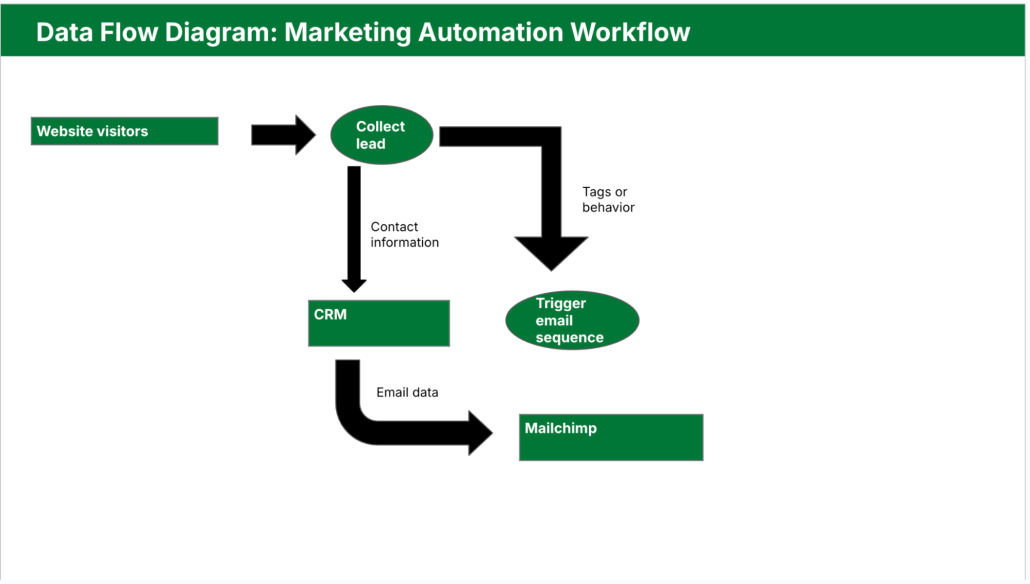
Building AI workflows with forms, email, and CRM is
about connecting the tools businesses already use into
a single, intelligent flow that runs smoothly in the
background. In many organizations, these systems
exist side by side but are not truly connected. A form
submission arrives in an inbox, someone reads it,
copies the details into a CRM, sends a reply, and
maybe creates a follow-up task. Each step is simple,
but together they consume time, introduce delays, and
leave room for errors. AI workflows are designed to
remove this manual glue work and replace it with a
process that is fast, consistent, and reliable.
At the heart of these workflows is the form, which acts
as the entry point for customers, leads, or internal
requests. AI can analyze form submissions the moment
they arrive, understand the intent behind the input, and
extract the information that actually matters. Instead of
treating every submission the same way, the system
can classify requests, detect urgency, and identify
missing or unclear details. This allows the workflow to
respond appropriately, whether that means triggering
an automatic email, creating a CRM record, or routing
the request to the right team.
Email plays a key role as the communication layer.
With AI in place, emails no longer have to be generic
or manually written. Responses can be tailored based
on the content of the form, the customer’s history, or
the stage of the relationship stored in the CRM. AI can
draft clear, context-aware messages, choose the right
tone, and send them at the right moment. It can also
monitor incoming replies, understand their meaning,
and decide whether to continue the automated flow or
hand the conversation over to a human.
The CRM acts as the system of record, bringing
structure and visibility to the entire process. AI
workflows ensure that every interaction is logged
automatically and consistently. Contact details,
conversation history, and next actions are updated
without manual input, keeping the CRM accurate and
useful. Over time, AI can also analyze this data to
identify patterns, such as which types of inquiries
convert best, where follow-ups are delayed, or which
messages lead to faster responses.
One of the biggest advantages of combining AI with
forms, email, and CRM is that the workflow becomes
adaptive. As the system processes more interactions, it
can improve how requests are categorized, how emails
are phrased, and how tasks are prioritized. This makes
the workflow more effective without requiring constant
manual tuning. Teams spend less time managing
processes and more time acting on meaningful
information.
Ultimately, building AI workflows around forms,
email, and CRM is not about adding complexity. It is
about creating a seamless experience for both
customers and teams. The right information reaches the
right place at the right time, communication feels
timely and relevant, and the business operates more
smoothly. When done well, these workflows are almost
invisible, yet they quietly remove friction, improve
efficiency, and support better relationships at scale.
https://kiaapp.xyz/wp-content/uploads/2025/09/favicon2-4-300x200.png00Kiahttps://kiaapp.xyz/wp-content/uploads/2025/09/favicon2-4-300x200.pngKia2026-02-16 20:49:552026-09-17 10:39:26Building AI Workflows with Forms, Email, and CRM
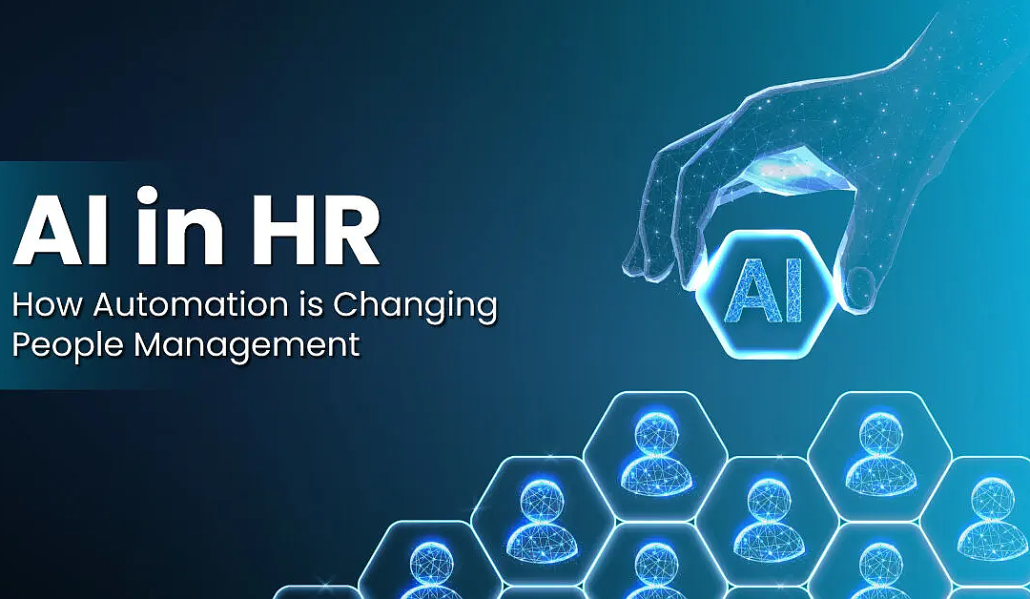
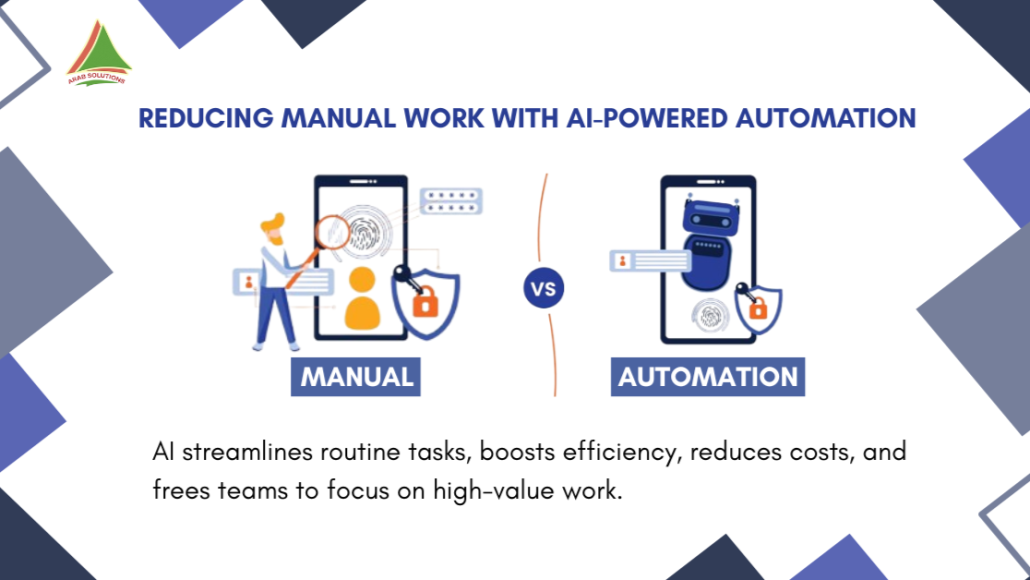
AI automation is becoming one of the most practical
ways businesses can reduce manual work without
disrupting how their teams already operate. In many
organizations, valuable time is still spent on repetitive
tasks such as copying data between systems,
responding to routine emails, updating records, or
coordinating internal processes. These tasks are
necessary, but they rarely create real value. AI
automation focuses on removing this friction so people
can concentrate on work that actually requires human
judgment, creativity, and decision-making.
Unlike traditional automation, which relies on rigid
rules and fixed sequences, AI-driven automation can
adapt to variation. It can understand context, recognize
patterns, and handle inputs that are not always
structured or predictable. This makes it especially
useful for everyday business workflows that involve
forms, messages, documents, and user interactions. For
example, when a customer fills out a form on a
website, AI can automatically classify the request,
extract the relevant information, and route it to the
right system or person—without manual sorting or
copy-pasting. Over time, the system learns which
actions lead to faster resolutions and better outcomes.
One of the key benefits of AI automation is
consistency. Manual processes are prone to delays,
errors, and inconsistencies, especially as teams grow or
workloads fluctuate. AI-driven workflows operate the
same way every time, at any hour, and without fatigue.
This reduces mistakes, improves response times, and
creates a more predictable experience for customers
and internal teams alike. A sales inquiry, for instance,
can be processed immediately, logged in a CRM, and
followed up with the right message—without waiting
for someone to notice it in an inbox.
Another important advantage is scalability. As a
business grows, manual processes often become
bottlenecks. Hiring more people to handle repetitive
tasks increases costs and complexity. AI automation
allows companies to scale operations without scaling
manual effort at the same rate. Whether it is processing
ten requests or ten thousand, the workflow remains
stable. This is particularly valuable for small and mid-
sized businesses that need to operate efficiently with
limited resources.
AI automation also improves visibility and decision-
making. Automated workflows generate structured data
about how processes run, where delays occur, and
which steps require the most intervention. This insight
helps businesses identify inefficiencies and
continuously refine their operations. Instead of
guessing where time is being lost, teams can rely on
real data to optimize workflows and improve
performance.
Most importantly, reducing manual work does not
mean removing people from the process. It means
supporting them. AI automation takes care of
repetitive, low-value tasks so teams can focus on
higher-level work—building relationships, solving
complex problems, and making informed decisions.
When implemented thoughtfully, AI automation
becomes a quiet assistant in the background, making
businesses faster, more reliable, and easier to run
without adding unnecessary complexity.
https://kiaapp.xyz/wp-content/uploads/2025/09/favicon2-4-300x200.png00Kiahttps://kiaapp.xyz/wp-content/uploads/2025/09/favicon2-4-300x200.pngKia2026-02-16 20:29:132026-09-16 22:55:33AI Automation for Businesses: Reducing Manual Work
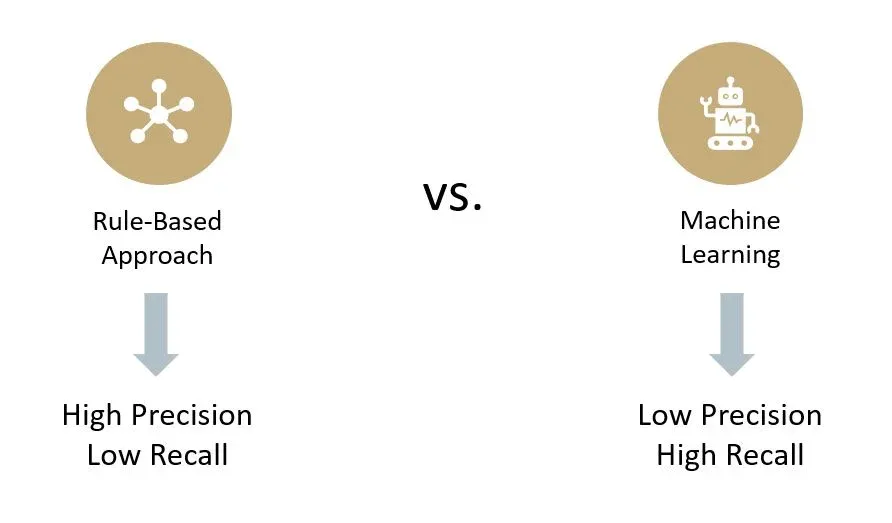
In app development, AI and traditional logic are not
competitors—they are complementary tools, and
knowing when to use each one is what separates a solid
app from a truly smart one. Traditional logic is the
foundation of every reliable application. It is built on
clear rules, conditions, and predictable outcomes.
When a feature must behave the same way every time
—such as user authentication, payments, permissions,
navigation flows, or business rules—traditional logic is
the safest and most efficient choice. It is fast,
transparent, easy to test, and easy to maintain. When
something goes wrong, developers can trace the issue
directly to a specific rule or condition and fix it with
confidence.
AI enters the picture when rules alone are no longer
enough. Many modern app features deal with
uncertainty, variation, and human behavior, which are
hard to capture with fixed logic. This is where AI
becomes valuable. Features like recommendations,
personalized content, search relevance, smart
notifications, or in-app assistants benefit from learning
patterns rather than following strict instructions. AI can
adapt over time, improve with data, and handle edge
cases that would make traditional rule-based systems
complex and brittle. Instead of asking “if this, then
that,” AI asks, “what usually works best in situations
like this?”
The mistake many teams make is treating AI as a
replacement for traditional logic. This often leads to
overcomplicated systems, unpredictable behavior, and
loss of control in critical parts of the app. A payment
flow driven by AI, for example, would be a terrible
idea. Users expect clarity, consistency, and trust in
such interactions. On the other hand, forcing
everything into rigid logic can result in apps that feel
cold, static, and out of touch with user needs. Endless
condition trees to simulate “intelligence” quickly
become hard to manage and impossible to scale.
The most effective approach is a hybrid one.
Traditional logic should form the backbone of the app,
ensuring stability, performance, and clear structure. AI
should be layered on top where flexibility and insight
genuinely add value. For example, logic defines what
content is available and what actions are allowed,
while AI helps decide which content to show first,
when to prompt the user, or how to personalize the
experience. In this setup, logic keeps the app grounded,
and AI makes it feel responsive and human.
From a product and business perspective, this balance
also reduces risk. Traditional logic is cheaper to build,
easier to audit, and simpler to explain to stakeholders.
AI requires data, monitoring, and ongoing tuning, so it
should be used deliberately, not everywhere. When
applied thoughtfully, AI enhances the app without
undermining reliability or user trust.
In the end, great app development is not about
choosing AI over traditional logic or vice versa. It is
about understanding their strengths and limitations,
and using each where it makes the most sense. Apps
built this way feel both solid and smart—predictable
where they must be, and adaptive where it truly
matters.
https://kiaapp.xyz/wp-content/uploads/2025/09/favicon2-4-300x200.png00Kiahttps://kiaapp.xyz/wp-content/uploads/2025/09/favicon2-4-300x200.pngKia2026-02-16 18:39:402026-09-17 09:54:03AI vs Traditional Logic in App Development – When to Use Each