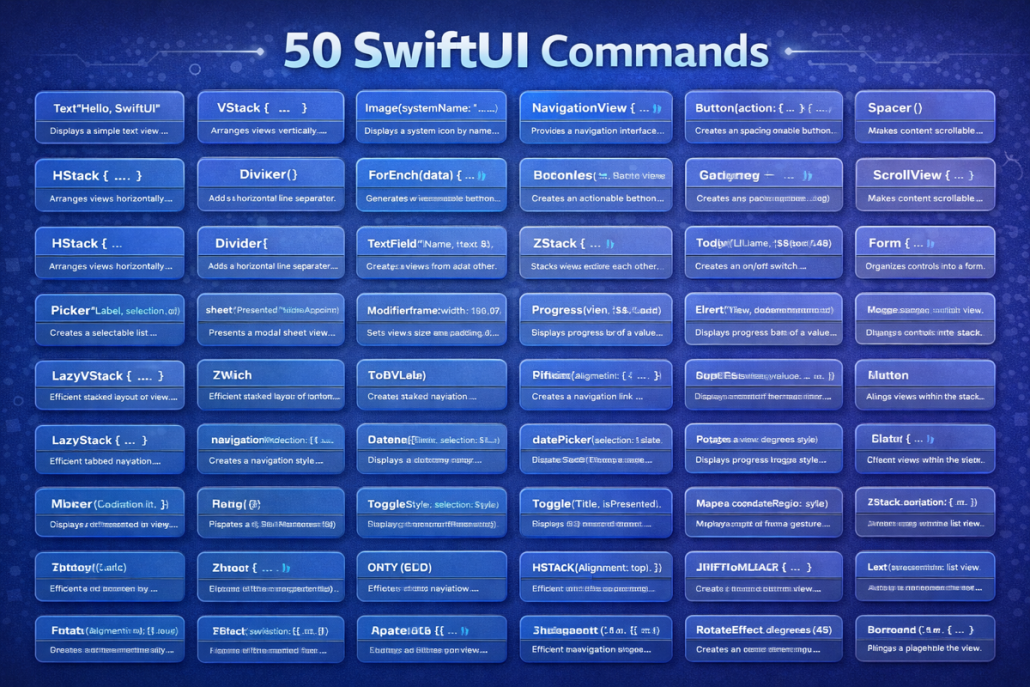
50 SwiftUI Commands with Purpose

50 Essential SwiftUI Commands with Examples and Explanations


Basic Views

  1. Text – display a string of text
Text("Hello World") // shows text on screen
  1. Image – show an image from assets or system
Image("logo") // displays image named "logo"
  1. Button – interactive button with action
Button("Click") { } // button that triggers code
  1. Spacer – pushes content apart
Spacer() // creates flexible empty space
  1. Divider – thin horizontal line
Divider() // separates content with a line
  1. Color – block of color
Color.red // fills area with red
  1. Rectangle – simple rectangle shape
Rectangle().fill(Color.blue) // blue box
  1. Circle – circular shape
Circle().stroke(Color.green, lineWidth: 3) // green outlined circle
  1. Ellipse – oval shape
Ellipse().fill(Color.orange) // orange oval
  1. Capsule – pill-like rounded shape
Capsule().fill(Color.purple) // purple pill shape

Layout Containers

  1. VStack – vertical layout stack
VStack {
    Text("A")
    Text("B")
    Text("C")
}
  1. HStack – horizontal layout stack
HStack {
    Text("Hello World")
    Text("Hello World")
    Text("Hello World")
}
  1. ZStack – layers content on top of each other
ZStack {
    Color.yellow
    Text("Top")
        .font(.title)
}
  1. Group – groups multiple views
Group {
    Text("One")
    Text("Two")
    Text("Three")
}
  1. ScrollView – scrollable content
ScrollView { Text("Scrollable") } // vertical scroll
  1. List – dynamic scrolling list
List(1..<4) { Text("Row \($0)") } // list rows
  1. Form – form layout for input controls
Form { TextField("Name", text: .constant("")) } // input form
  1. Section – divides list/form into sections
Section(header: Text("Info")) { Text("Details") } // sectioned content
  1. NavigationView – container for navigation
NavigationView { Text("Home") } // enables navigation
  1. NavigationLink – clickable link to another view
NavigationLink("Go", destination: Text("Next")) // link to new page

Input Controls

  1. TextField – single-line text input
TextField("Enter text", text: .constant("")) // text box
  1. SecureField – password input (hidden text)
SecureField("Password", text: .constant("")) // hidden input
  1. Toggle – on/off switch
Toggle("Enable", isOn: .constant(true)) // switch control
  1. Slider – sliding numeric value
Slider(value: .constant(0.5)) // slider 0 to 1
  1. Stepper – increase/decrease value
Stepper("Count", value: .constant(1)) // step counter
  1. Picker – dropdown or wheel selection
Picker("Choose", selection: .constant(1)) { Text("One").tag(1) } // picker
  1. DatePicker – pick date and/or time
DatePicker("Select Date", selection: .constant(Date())) // date selector
  1. ColorPicker – choose a color
ColorPicker("Pick Color", selection: .constant(.blue)) // color input
  1. ProgressView – loading/progress indicator
ProgressView("Loading…") // spinner/progress bar
  1. Link – open external URL
Link("Open Website", destination: URL(string: "https://kiaapp.xyz")!) // external link

Modifiers (Styling)

  1. .font() – set font style/size
Text("Title").font(.title) // larger font
  1. .foregroundColor() – set text or shape color
Text("Red").foregroundColor(.red) // red text
  1. .background() – add background behind view
Text("BG").background(Color.gray) // gray background
  1. .cornerRadius() – round corners
Rectangle().cornerRadius(10) // rounded box
  1. .padding() – add spacing inside view
Text("Padded").padding() // padded text
  1. .frame() – set width/height
Text("Boxed").frame(width:100, height:50) // fixed size
  1. .opacity() – adjust transparency
Text("Faded").opacity(0.5) // 50% transparent
  1. .shadow() – add shadow effect
Text("Shadow").shadow(radius: 5) // drop shadow
  1. .bold() / .italic() – emphasize text
Text("Bold").bold() // bold text
  1. .multilineTextAlignment() – align multi-line text
Text("Centered").multilineTextAlignment(.center) // center aligned

🔹 Advanced Containers & Features

  1. TabView – tab bar navigation
TabView {
   Text("Home").tabItem { Label("Home", systemImage: "house") }
} // tab navigation
  1. GeometryReader – access parent size/position
GeometryReader { geo in Text("\(geo.size.width)") } // get layout info
  1. LazyVStack – efficient vertical stack (on demand)
ScrollView { LazyVStack { Text("Item") } } // lazy vertical list
  1. LazyHStack – efficient horizontal stack
ScrollView(.horizontal) { LazyHStack { Text("Item") } } // lazy horizontal
  1. LazyVGrid – vertical grid layout
LazyVGrid(columns: [GridItem(.flexible())]) { Text("Cell") } // grid
  1. LazyHGrid – horizontal grid layout
LazyHGrid(rows: [GridItem(.flexible())]) { Text("Cell") } // horizontal grid
  1. Map (via MapKit) – show a map
Map(coordinateRegion: .constant(MKCoordinateRegion())) // map view
  1. VideoPlayer – play video content
VideoPlayer(player: AVPlayer(url: URL(string:"video.mp4")!)) // video player
  1. WebView (custom) – embed a web page
// Custom wrapper required for WKWebView
  1. Alert / Sheet – pop-up alerts or modal sheets
.alert("Title", isPresented: .constant(true)) { Button("OK", role:.cancel){} } // alert popup

Our Services

KiaApp

Contact

Our Services

We offer a comprehensive suite of app and web development services to help your business thrive in the digital landscape.

iOS App Development (SwiftUI)

Crafting native iOS apps with SwiftUI for seamless UX and performance.

Cross-Platform Apps (Flutter)

Building beautiful apps for iOS & Android with one codebase.

Websites & E-commerce (WordPress)

Stunning, responsive websites and e-commerce platforms tailored to your brand.

Backend & Cloud Solutions

Robust, scalable, and secure backend development with cloud integration.

Maintenance & Support

Ongoing updates, bug fixes, and technical assistance for smooth operation.

Have a Project in Mind?

Let’s build something amazing together.

Contact Us

Home
Services
Portfolio
About
Contact© 2025 KiaApp. All rights reserved.

Our services are designed for businesses and individuals looking for reliable, maintainable, and scalable digital solutions.

Each project is approached with a focus on clarity, performance, and long-term value.

Contact

Contact

Have a project in mind?
For project estimates, costs, timelines, or general inquiries, feel free to get in touch.

Email: contact@kiaapp.xyz
Telegram: @kiaapp

You can contact KiaApp for mobile app development, AI solutions, technical consulting, or project inquiries. We aim to respond clearly and as quickly as possible.

KiaApp — Mobile App Development, AI Solutions & Consulting

Work

Work

i-9 Shop

B2B marketplace. SwiftUI + REST. Push, Search, Caching.

Case study →

EMGuard
Realtime monitoring. Charts, BLE, offline-first.

PrintAssist MVP
IAP, Analytics, AI tips overlay.

App Development


[FlutterWordPressSwiftUI 


App Development:

App development today is not simply about writing code. It is about making the right technical decisions early, reducing unnecessary complexity, and building products that remain stable, scalable, and maintainable over time. Most businesses do not approach us asking for a specific framework. Instead, they ask a more important question:

How can we build an app that works well today and still makes sense in the future?

At KiaApp, we focus on modern app development approaches that balance performance, scalability, and long-term clarity. Depending on the project, this may involve native development using SwiftUI within Xcode for Apple platforms, or Flutter for cross-platform applications where speed, reach, and consistency are essential.


From Storyboards to SwiftUI

For many years, iOS applications were built using Storyboards. While effective in smaller projects, Storyboards often became difficult to manage as applications grew. Visual dependencies, layout constraints, and screen connections could quickly turn into maintenance challenges, making collaboration and long-term updates harder.

SwiftUI represents a fundamental shift away from this complexity. By describing user interfaces directly in code, SwiftUI offers a cleaner, more predictable structure. This results in faster iteration, fewer layout issues, and projects that scale far more gracefully over time—especially when working in modern versions of Xcode.


Modern Development Inside Xcode

With recent releases of Xcode, including Xcode 26.2, the development experience has evolved significantly. Developers can now integrate intelligent assistance directly into their workflow, helping them understand APIs faster, reduce repetitive tasks, and focus more on architecture and user experience.

AI-assisted tools inside Xcode are not meant to replace developers. Instead, they enhance decision-making, improve code quality, and streamline daily workflows. The result is more reliable applications and fewer issues later in the development lifecycle.


Apple Intelligence and AI-Enhanced Development

Apple Intelligence introduces a new layer to how applications are designed and improved. When combined with modern development practices, it allows apps to become more adaptive, responsive, and user-focused—while still respecting privacy and platform standards.

At the same time, tools such as OpenAI integrations can be used during development to support logic design, UI refinement, testing scenarios, and content generation. AI is no longer an external tool; it becomes a natural part of the development environment and workflow.


Flutter and Cross-Platform Advantages

Not every project requires a fully native approach. Flutter enables developers to build applications for iOS, Android, and additional platforms using a single codebase. This significantly reduces development time and cost while maintaining a high-quality and consistent user experience.

Flutter is particularly well suited for startups, MVPs, and businesses that want to reach multiple markets quickly without maintaining separate projects for each platform.


Choosing the Right Approach

There is no single best framework for every application. The right choice depends on business goals, timelines, budgets, and target audiences. Some projects benefit from deep native integration with SwiftUI, while others gain flexibility and speed from Flutter’s cross-platform architecture.

Our role is to guide this decision objectively—based on real project needs, not trends or preferences.

About Kia Malek Mohammadi & KiaApp

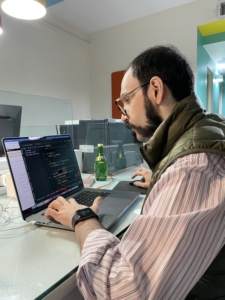
Kia Malek Mohammadi working on software development

Hello, I’m Kia Malek Mohammadi, an App and AI consultant and the founder of KiaApp. I help startups, businesses, and individuals turn ideas into practical, reliable digital products.

My work combines mobile application development, artificial intelligence, business automation, backend services, and modern software architecture. Whether a project involves a native iOS application built with SwiftUI, a cross-platform Flutter app, an AI-powered workflow, or a custom backend integration, my focus is always on solving genuine business problems and creating measurable value.

About KiaApp

KiaApp is a digital development studio focused on building high-performance mobile applications, practical AI-powered tools, and scalable backend systems.

From early concept validation to product design, development, integration, and launch, KiaApp helps clients transform ideas into dependable digital solutions. Our engineering approach emphasizes clean architecture, robust security, maintainability, and long-term scalability.

We aim to bridge the gap between complex technology and simple, intuitive user experiences. Every project begins with understanding the client’s goals, users, and operational challenges before selecting the appropriate technologies.

My Approach

My engineering background has shaped how I approach software development. I believe successful products require technical precision, structured problem-solving, and a clear understanding of business needs.

Rather than simply writing code, I design systems that improve efficiency, reduce repetitive work, and help organizations operate more effectively. This includes connecting mobile and web applications to backend services, integrating databases and APIs, and introducing automation where it provides a meaningful benefit.

Over the years, I have worked across several areas of technology, including mobile applications, web development, AI integration, backend architecture, databases, cloud services, and digital transformation. This broad perspective helps me connect technical implementation with business objectives and user experience.

Technology is more than a profession for me. It is a field of continuous learning, creativity, and practical innovation. I enjoy turning complicated challenges into clear solutions that people can use confidently every day.

At KiaApp, my goal is straightforward: build useful software, create measurable value, and help businesses grow through technology.

Core Areas of Expertise

  • Native iOS development with SwiftUI
  • Cross-platform application development with Flutter
  • Artificial intelligence integration
  • Business-process automation
  • Backend API and cloud solutions
  • Database design and management
  • Web development and digital solutions
  • Startup technology consulting
  • Product architecture and technical planning

Have an application idea, an automation challenge, or a digital product you would like to develop?

Home

appDeveloper بودن یک پیشه ای دلپذیر و دشوار است...

App development is rewarding yet challenging.


I help businesses turn ideas into high-quality mobile applications.

From native iOS with SwiftUI to cross-platform solutions with Flutter,

I focus on clean architecture, performance, and long-term maintainability.


Finding Home in the Code: How Development Cures My Homesickness

Every morning, before the world wakes up, I open my laptop. The room around me changes constantly—different countries, unfamiliar cities, new apartments. But the moment the screen lights up, I am instantly in a place that feels completely familiar.

Somewhere between SwiftUI views, Flutter widgets, and MongoDB queries, I found something I didn’t expect: absolute stability.


More Than Just a Job

I didn’t start software development to escape being homesick. At first, it was just work—a technical skill to pay the bills. But over time, coding evolved into something much deeper:

  • Structure during highly uncertain times.

  • Purpose during long, lonely evenings.

  • Connection when everything around me felt entirely foreign.

When people leave their homeland, they usually look for familiar comforts—local food, native speakers, or old memories. Instead, I looked for flow.


Building Bridges, Erasing Borders

Inside development, there is always a new problem to solve, an interface to refine, or an API to optimize. The deeper I dive into a project, the quieter the feeling of distance becomes. Programming gives you something homesickness can never steal away: momentum.

The Power of Development:

Software engineering creates invisible bridges. A developer sitting alone at a desk is still actively collaborating with engineers in California, open-source contributors in Europe, and designers in Asia. Through technology, isolation naturally transforms into global participation.

This is why the digital world is my new homeland. It’s not that I’ve forgotten where I come from; it’s that development gives me a borderless space to grow, where creativity matters far more than geography.


Turning Tech into Emotional Anchors

My philosophy is simple: Build something useful every day, and loneliness loses its power. For me, tools are no longer just utilities—they are personal milestones:

  • Flutter allows me to build cross-platform solutions that reach anyone, anywhere.

  • SwiftUI gives me precision, control, and elegance on iOS.

  • MongoDB acts as a vault, safely storing the ideas that slowly become real products.


Moving Into the Future

Homesickness has a habit of trapping you in the past. Development does the exact opposite—it forcefully pulls you into the future.

struct ContentView: View {
    var body: some View {
        VStack {
            Text("Coding, My New Homeland")
                .font(.title)
            Text("Building apps with SwiftUI & Flutter")
                .foregroundColor(.purple)
        }
        .padding()
    }
}

Of course, coding doesn’t erase loneliness entirely. There are still brutal nights, broken APIs, failed deployments, and moments of utter exhaustion. But even in those moments, the act of building keeps me grounded. The screen is a sanctuary where I can think clearly, debug logically, and rebuild my confidence one line of code at a time.


The Ultimate Reminder

Today, when I look at a mobile app or a backend system, I don’t just see technology. I see survival, adaptation, and identity.

Coding didn’t replace my original home. Instead, it taught me how to carry home inside myself through purpose, constant learning, and creation. Every finished project is a beautiful reminder that no matter how far away you are, you can always build a life worth growing into.

Web Development:

1️⃣ What is WordPress?

WordPress (WP) is a Content Management System

(CMS) that allows you to build:

• Company websites

• Blogs

• Landing pages

• Online stores

You can create and manage content without heavy

coding, while still allowing full customization if

needed.

Today, over 40% of all websites are built with WordPress.

2️⃣ Two ways to use WordPress

WordPress can be run in two main ways:

• Local (on your own computer)

• Hosted (on an internet server / hosting provider)

Each serves a different purpose.

3️⃣ Local WordPress (Local environment)

How it works

You install WordPress on your computer using tools like:

• Local WP

• XAMPP

• MAMP

The site runs offline and is visible only to you.

✅ Advantages

• Fast development and testing

• No hosting cost

• Very safe (not publicly accessible)

• Ideal for learning and development

❌ Disadvantages

• Not accessible online

• Customers and AI cannot see it

• Not suitable for marketing or sales

Real-life analogy:

Like designing a shop inside a warehouse — functional, but invisible to the public.

4️⃣ Hosted WordPress (Live website)

How it works

• Purchase a hosting plan

• Install WordPress on a domain

• Website is accessible on the internet

✅ Advantages

• Publicly accessible

• Can be indexed by Google and understood by AI

• Suitable for branding, trust, and sales

• Enables SEO and discoverability

❌ Disadvantages

• Hosting costs

• Requires maintenance (updates, security, backups)

• Performance depends on hosting quality

Real-life analogy:

Like opening a shop on a busy street with a clear sign.

5️⃣ Quick comparison

Feature Local WP Hosted WP

Online access ❌ ✅

Development & testing ✅ ⚠️

Customer visibility ❌ ✅

AI discoverability ❌ ✅

Cost ❌ ✅

Security High Hosting-dependent

6️⃣ Best practice (recommended)

A hybrid approach works best:

1. Build and test locally

2. Publish on hosting

3. Add clear content and FAQs for AI

4. Optimize and scale over time

7️⃣ One-sentence takeaway

Local WordPress is for building;

Hosted WordPress is for visibility, trust, and AI recognition.

If you want, I can:

• Refine this text for your website

• Provide a German version

• Recommend the best hosting type for your case