1. Objective and Scope Successfully releasing a mobile application is far more than a simple technical task; it is a strategic maneuver that directly impacts brand credibility and return on investment (ROI). The purpose of this SOP is to establish a repeatable and preventive framework for managing the release lifecycle, minimizing costly delays during app store review processes. This guideline covers all stages—from development environment configuration and digital asset management to post- launch monitoring and market feedback analysis. By rigorously following these standards, we ensure the final product is not only stable but also delivers a world-class user experience (UX). This level of infrastructural readiness is a prerequisite for proceeding to developer account configuration and architectural decision-making. ⸻ 2. Prerequisites and Developer Account Configuration Digital assets and organizational accounts must be managed with military-grade precision to prevent legal or operational deadlocks at launch. The choice of platform and core technology has long-term implications for development velocity and maintenance costs. Platform Infrastructure Comparison Key Metric Apple App Store (iOS) Google Play Console (Android) Subscription Cost Annual fee One-time fee Primary Dev Tool Xcode Android Studio Native Languages Swift / Objective-C Kotlin / Java Strategic Architecture Assessment: Native vs. Cross-Platform As a Release Manager, architectural decisions must align with business priorities: • Native Development: Provides maximum access to hardware features and superior performance. Essential for graphics-intensive or computation-heavy applications. • Cross-Platform Frameworks (React Native / Flutter): Embrace a “write once, run everywhere” approach to dramatically reduce time-to- market and development costs. From a DevOps perspective, their key advantages include improved code maintainability and, in some cases, over-the-air (OTA) updates without requiring store re-review. Once the development environment and architecture are finalized, the team must immediately move into production pipeline automation. ⸻ 3. Build Process and Automated Testing in the CI/CD Pipeline Quality assurance at scale requires eliminating human error through a robust CI/CD pipeline. The primary focus at this stage is versioning and artifact management to ensure traceability for every release candidate. CI/CD Execution Protocol: • Build & Versioning: Automated compilation of binaries with unique build numbers. • Unit & Integration Tests: Mandatory execution of XCTest for iOS and Espresso for Android on every pull request. • Device Farm Testing: Utilize services such as AWS Device Farm or BrowserStack to identify hardware-specific issues. • Strategic Threshold: Device farm testing is mandatory for Tier-1 releases or projects supporting more than 50 Android resolutions. For budget-constrained projects, defer this step to the final release- candidate phase. With technical artifacts finalized, the release candidate must be evaluated by real users and QA teams. ⸻ 4. Quality Assurance (QA) Cycle and Beta Test Management Our QA philosophy focuses on risk reduction through layered testing. Each version must pass three filtering stages to minimize crash risks at public release. Testing Phases: • Internal Testing: Rapid validation of new features by the engineering team. • Dogfooding: Real-world usage by internal staff to uncover hidden issues in daily scenarios. • Beta Testing: Distribution via TestFlight (up to 10,000 users for Apple) and Google Play Beta. Tester selection must be intentional to capture diverse network and hardware conditions. Stabilizing the build based on beta feedback paves the way for regulatory and organizational compliance. ⸻ 5. Compliance, ASO Optimization, and Internal Approvals Before final submission, the app must pass stakeholder approvals and stringent operational standards. Internal Approval & Technical Performance Checklist: • Performance Metrics: Crash rate below 1% and acceptable launch latency. • Compliance: Full review of privacy and data security policies in accordance with industry regulations. • UX Consistency: Complete alignment with brand visual identity. Dual ASO Strategy: • Metadata Optimization: Keyword engineering in titles and descriptions, plus localization for target markets to improve search ranking. • Creative Assets: High-impact screenshots and icons to increase conversion rates. Release notes should creatively highlight the value of the new version. Once documentation and stakeholder approvals are complete, the critical submission phase begins. ⸻ 6. Submission and Store Review Management Submitting to App Store Connect and Google Play Console requires readiness for review challenges. Review teams may apply strict scrutiny, making time management essential. Review Acceleration Protocol: • Reviewer’s Note: Always include clear instructions and access details for reviewers. • Demo Account: Provide a fully functional test account to bypass registration barriers. • Crisis Management: In case of rejection, avoid confrontation. Respond quickly with requested clarifications and prioritize required changes. Upon approval, the coordinated launch strategy is executed. ⸻ 7. Final Release and Post-Launch Operational Monitoring As a professional Release Manager, a 100% day-one rollout is not recommended. The objective is a controlled launch synchronized with marketing efforts. Staged Release Strategy: • Phased Release (iOS): Enable a 7-day gradual rollout to monitor issues at small scale. • Percentage Rollout (Android): Start with 5% of users and progressively increase to 100% after stability confirmation. • Marketing Synchronization: Precisely align launch timing with marketing campaigns to maximize initial impact. Post-Launch Monitoring: Release is not the end. Teams must continuously analyze analytics data and respond to store reviews. User feedback feeds directly into the development backlog, ensuring continuous improvement. Sustainable success in the mobile market depends on repeatedly executing this cycle based on real market demand.
https://kiaapp.xyz/wp-content/uploads/2025/09/favicon2-4-300x200.png00Kiahttps://kiaapp.xyz/wp-content/uploads/2025/09/favicon2-4-300x200.pngKia2026-02-10 21:38:412026-09-17 18:20:43Comprehensive Standard Operating Procedure (SOP) for Mobile App Release
After the iOS app proved useful in real situations, the
next logical step was Android. Rather than developing
a second native app from scratch, we chose Flutter.
Flutter allowed us to:
• Reuse a single codebase
• Maintain consistent UI and behavior
• Reduce development and maintenance effort
• Release features faster on both platforms
This decision was not based on trends, but on
practicality. Flutter gave us enough performance and
flexibility while keeping the project manageable.
One Backend for Both Platforms: MongoDB
To support both iOS and Android apps, we needed a
backend that was flexible and scalable. We chose
MongoDB as the backend database for both platforms.
The reasons were straightforward:
• Flexible data structure for diverse product categories
• Easy adaptation when product attributes change
• Good performance for read-heavy catalog usage
• One unified backend for multiple platforms
Using a single backend simplified data management
and ensured that users see consistent information
regardless of device.
Making Product Access Easier Than Desktop
Our core belief was simple:
Presenting products on mobile is often more effective
than desktop.
A user might be:
• Standing in a shop
• Walking on the street
• Talking to a client
• Comparing options in real time
In such moments, opening a mobile app is faster than
waiting to reach a computer. The app becomes a
decision-making tool, not just a sales channel.
⸻
Integrating Real Communication: WhatsApp Support
Another key feature was direct communication. Many
customers do not want to fill forms or send emails.
They want quick answers.
We integrated easy access to WhatsApp support, allowing users to:
• Ask questions about products
• Send photos or requirements
• Get immediate feedback
This reduced friction between interest and action.
Instead of losing potential customers due to delayed
responses, conversations could start instantly.
Categories Designed for Real Usage
The app organizes products into clear, industry-
relevant categories, such as:
• Industrial valves
• Pumps and accessories
• Construction equipment
• Precision tools
• Pipes and fittings
• Agricultural and gardening products
• Electrical supplies
Each category is designed to be understandable even
for users who are not sitting in an office environment.
Lessons Learned
Through this process, we learned several important lessons:
• Mobile-first thinking is no longer optional
• Simplicity beats complexity in business apps
• One backend for multiple platforms saves time and
cost
• Communication is as important as presentation
• Apps do not need full checkout systems to be
effective
Sometimes, helping the customer decide is more
valuable than forcing a purchase flow.
https://kiaapp.xyz/wp-content/uploads/2025/09/favicon2-4-300x200.png00Kiahttps://kiaapp.xyz/wp-content/uploads/2025/09/favicon2-4-300x200.pngKia2025-12-28 22:48:302026-09-17 20:32:13How We Built iOS & Android Apps for Our Business
After the iOS app proved useful in real situations, the
next logical step was Android. Rather than developing
a second native app from scratch, we chose Flutter.
Flutter allowed us to:
• Reuse a single codebase
• Maintain consistent UI and behavior
• Reduce development and maintenance effort
• Release features faster on both platforms
This decision was not based on trends, but on
practicality. Flutter gave us enough performance and
flexibility while keeping the project manageable.
⸻
One Backend for Both Platforms: MongoDB
To support both iOS and Android apps, we needed a
backend that was flexible and scalable. We chose
MongoDB as the backend database for both platforms.
The reasons were straightforward:
• Flexible data structure for diverse product categories
• Easy adaptation when product attributes change
• Good performance for read-heavy catalog usage
• One unified backend for multiple platforms
Using a single backend simplified data management
and ensured that users see consistent information regardless of device.
⸻
Making Product Access Easier Than Desktop
Our core belief was simple:
Presenting products on mobile is often more effective
than desktop.
A user might be:
• Standing in a shop
• Walking on the street
• Talking to a client
• Comparing options in real time
In such moments, opening a mobile app is faster than
waiting to reach a computer. The app becomes a
decision-making tool, not just a sales channel.
⸻
Integrating Real Communication: WhatsApp Support
Another key feature was direct communication. Many
customers do not want to fill forms or send emails.
They want quick answers.
We integrated easy access to WhatsApp support, allowing users to:
• Ask questions about products
• Send photos or requirements
• Get immediate feedback
This reduced friction between interest and action.
Instead of losing potential customers due to delayed
responses, conversations could start instantly.
⸻
Categories Designed for Real Usage
The app organizes products into clear, industry-
relevant categories, such as:
• Industrial valves
• Pumps and accessories
• Construction equipment
• Precision tools
• Pipes and fittings
• Agricultural and gardening products
• Electrical supplies
Each category is designed to be understandable even
for users who are not sitting in an office environment.
⸻
Lessons Learned
Through this process, we learned several important lessons:
• Mobile-first thinking is no longer optional
• Simplicity beats complexity in business apps
• One backend for multiple platforms saves time and cost
• Communication is as important as presentation
• Apps do not need full checkout systems to be effective
Sometimes, helping the customer decide is more valuable than forcing a purchase flow.
⸻
Final Thoughts
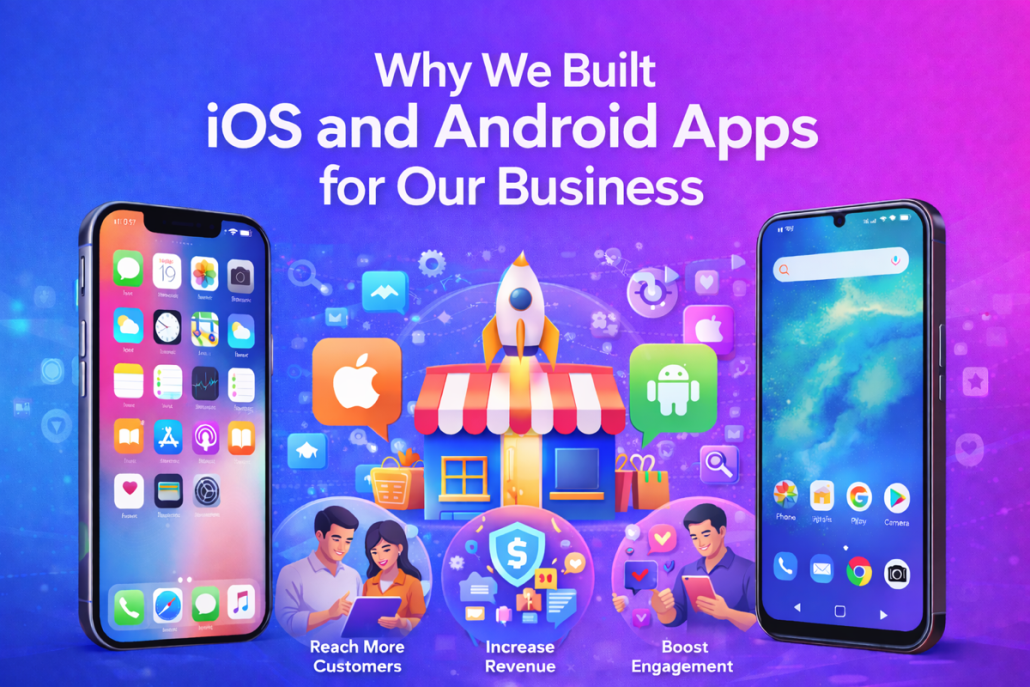
This project was not about building an app for the sake
of technology. It was about aligning digital tools with
real human behavior. By developing an iOS app,
expanding to Android with Flutter, and using a shared
MongoDB backend, we created a practical system that
supports real-world decision-making.
In many cases, the moment someone decides to buy is
spontaneous. Being present in that moment—on a
mobile device—can make all the difference.
https://kiaapp.xyz/wp-content/uploads/2025/09/favicon2-4-300x200.png00Kiahttps://kiaapp.xyz/wp-content/uploads/2025/09/favicon2-4-300x200.pngKia2025-12-28 21:45:592026-09-17 23:16:16Why We Built iOS and Android Apps for Our Business
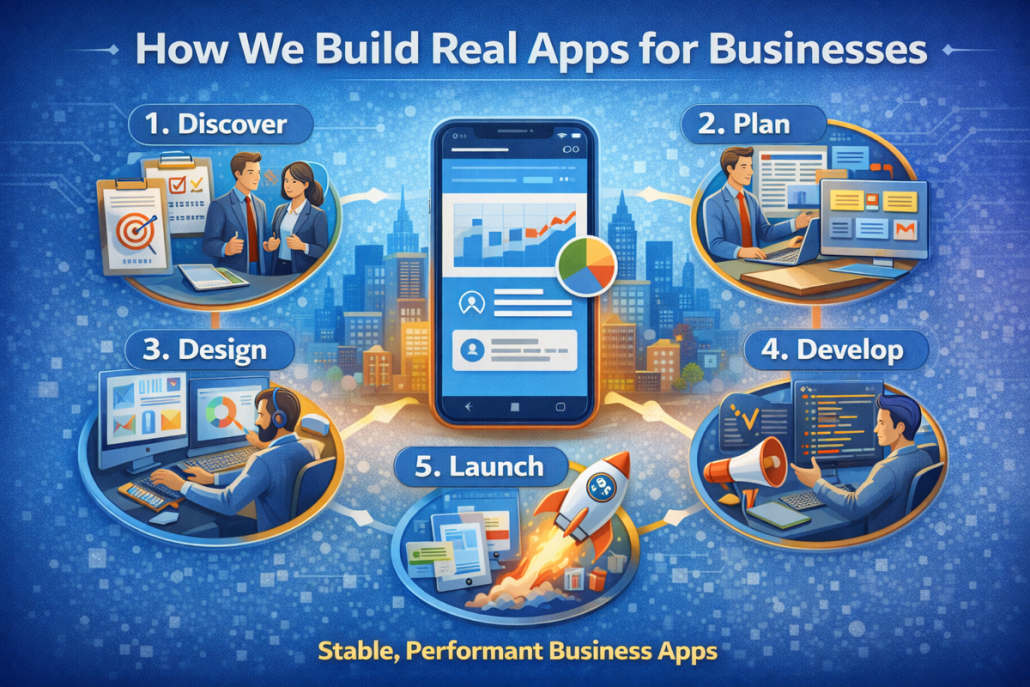
Building a real-world application is rarely a straight line. In theory, frameworks and tools promise speed and simplicity. In practice, real projects evolve through trial, mistakes, and informed decisions. This article explains how we actually build apps for businesses, based on hands-on experience—not marketing slogans.
Our focus is on stability, maintainability, and long-term value rather than short-term convenience.
Starting with CocoaPods — and Why We Moved On
Like many iOS developers, we initially started our project using CocoaPods. At the time, it felt like the standard choice. Many tutorials recommended it, and most third-party libraries provided CocoaPods support by default.
In the early phase, CocoaPods worked reasonably well. Dependencies were easy to add, and the project moved forward quickly. However, as the codebase grew, problems started to appear.
We encountered:
Long build times
Xcode indexing issues
Conflicts between pod versions
Random build failures after updates
Increased complexity in project configuration
At some point, development slowed down—not because of business logic or design challenges, but because of dependency management issues. This is a red flag in any serious project.
The Turning Point: Removing CocoaPods
After repeated interruptions, we made a difficult but important decision: remove CocoaPods entirely.
This wasn’t a cosmetic change. It required:
Cleaning the project setup
Removing Podfiles and related scripts
Refactoring imports
Rebuilding parts of the dependency structure
It took time, but the result was immediate and noticeable.
Builds became faster.
Xcode became more stable.
Unexpected errors stopped appearing.
Most importantly, development flow returned.
Switching to Swift Package Manager (SPM)
After removing CocoaPods, we migrated to Swift Package Manager (SPM), Apple’s native dependency management solution.
SPM integrates directly into Xcode, which brings several advantages:
No external tooling required
Cleaner project structure
Better compatibility with Xcode updates
Fewer moving parts
From a business perspective, this matters. A simpler setup means:
Easier onboarding for new developers
Lower maintenance costs
Fewer “mystery” bugs
SPM didn’t just improve the technical side—it improved productivity and confidence in the project.
Choosing Not to Use Alamofire
Another conscious decision was not using Alamofire.
Alamofire is a powerful networking library, but power often comes with overhead. For many business applications, native tools are more than sufficient.
We chose to rely on:
URLSession
Lightweight, custom networking layers
Clear error handling
This approach has several benefits:
Fewer external dependencies
Better understanding of the network layer
Easier debugging
Long-term stability
In real business apps, simplicity often outperforms abstraction.
Our Development Philosophy
We don’t build apps to impress other developers.
We build apps to work reliably in real environments.
That means:
Choosing boring but stable solutions
Avoiding unnecessary libraries
Preferring native tools when possible
Designing for long-term maintenance
This philosophy may not look flashy, but it scales better and reduces technical debt.
How This Benefits Businesses
From a business point of view, these technical decisions translate directly into value.
1. Stability
Fewer dependencies mean fewer breaking changes. Updates are predictable and manageable.
2. Maintainability
Future developers can understand the project faster. There is less hidden complexity.
3. Cost Efficiency
Less time spent fixing tooling issues means more time spent delivering features.
4. Longevity
Native tools like Swift Package Manager are supported directly by Apple, reducing long-term risk.
Real Experience Over Theory
Many development articles describe “best practices” in abstract terms. Our approach is shaped by what actually happened in a real project.
We experienced:
Tooling choices slowing development
Dependency issues blocking progress
Improvements after simplifying the stack
These lessons were learned through practice, not assumptions.
When This Approach Makes Sense
This way of working is especially suitable for:
Business apps
Long-term products
Teams that value stability
Projects with ongoing maintenance needs
It may not be ideal for rapid prototypes or experimental apps—but for production software, it pays off.
Final Thoughts
Real app development is not about chasing trends. It’s about making decisions that keep the project healthy months and years later.
By moving away from CocoaPods, adopting Swift Package Manager, and reducing unnecessary dependencies, we created a development environment that supports real business needs.
That’s how we build real apps—not by following hype, but by learning from experience.
https://kiaapp.xyz/wp-content/uploads/2025/09/favicon2-4-300x200.png00Kiahttps://kiaapp.xyz/wp-content/uploads/2025/09/favicon2-4-300x200.pngKia2025-12-28 15:30:512026-09-17 20:30:22How We Build Real Business Apps — The Right Way
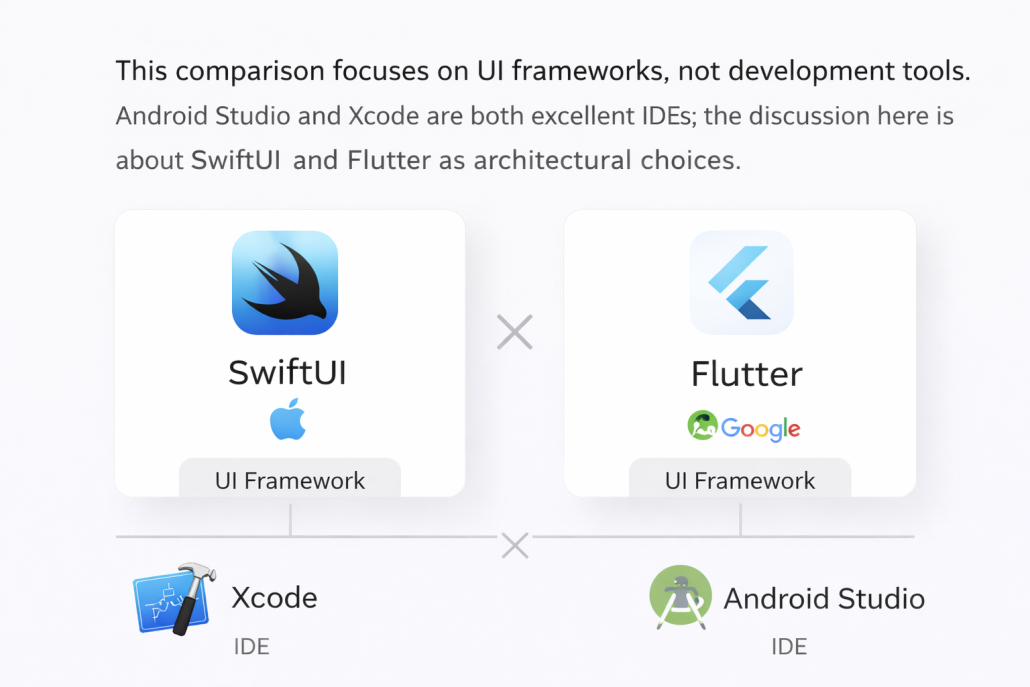
Choosing the right framework for mobile app development is one of the most important technical decisions a business or startup can make. Two of the most popular modern options today are SwiftUI and Flutter. Both are powerful, actively developed, and backed by large companies—Apple and Google. Yet, they are designed with very different philosophies in mind. In this article, we’ll compare SwiftUI and Flutter from a practical, real- world perspective. Instead of marketing claims, we’ll focus on when each framework truly makes sense, based on product goals, team structure, performance needs, and long-term maintenance. ⸻⸻⸻⸻⸻⸻⸻⸻⸻⸻⸻ What Is SwiftUI? SwiftUI is Apple’s modern UI framework for building applications across iOS, iPadOS, macOS, watchOS, and tvOS. It was introduced in 2019 and is deeply integrated into Apple’s ecosystem. SwiftUI uses a declarative syntax, meaning you describe what the UI should look like, not how to draw it step by step. The system automatically updates the interface when data changes. Key strengths of SwiftUI • Native Apple performance • Deep integration with iOS APIs • Clean, readable syntax • Long-term support from Apple • Ideal for Apple-only apps SwiftUI feels like the “official” way Apple wants developers to build modern apps going forward. ⸻⸻⸻⸻⸻⸻⸻⸻⸻⸻⸻ What Is Flutter? Flutter is Google’s open-source UI framework for building applications from a single codebase. With Flutter, you can target iOS, Android, web, and desktop using the same code. Flutter uses the Dart programming language and renders UI using its own high-performance engine. This gives developers full control over the look and behavior of the interface, regardless of platform. Key strengths of Flutter • One codebase for multiple platforms • Consistent UI across devices • Fast development cycles • Strong community and plugin ecosystem • Great for startups and MVPs Flutter is designed for speed, flexibility, and cross-platform consistency. ⸻⸻⸻⸻⸻⸻⸻⸻⸻⸻⸻ Performance: Native vs Cross-Platform Performance is often the first concern when comparing these two. SwiftUI runs fully natively. It uses Apple’s frameworks directly and benefits from system-level optimizations. For animation-heavy apps, complex gestures, or deep hardware integration, SwiftUI has a natural advantage. Flutter, while not native in the traditional sense, is still very fast. Its rendering engine draws directly to the screen, avoiding many traditional cross-platform bottlenecks. In most business applications, users will not notice a performance difference. Rule of thumb: • If maximum native performance is critical → SwiftUI • If performance must be “good enough” across platforms → Flutter ⸻⸻⸻⸻⸻⸻⸻⸻⸻⸻⸻ Development Speed and Productivity This is where Flutter often shines. With Flutter: • One team writes one codebase • Features ship simultaneously on iOS and Android • UI behaves consistently everywhere • Hot reload speeds up iteration SwiftUI development is also fast, but only within the Apple ecosystem. If you need Android later, you must build a second app from scratch (or with a different team). For startups, MVPs, and budget-sensitive projects, Flutter can significantly reduce time-to-market. ⸻⸻⸻⸻⸻⸻⸻⸻⸻⸻⸻ UI and Design Flexibility SwiftUI follows Apple’s Human Interface Guidelines closely. This is a strength and a limitation. • You get a UI that feels “right” on iOS • But heavy customization can be harder • Platform-specific behavior is expected Flutter, on the other hand, is extremely flexible: • Pixel-perfect custom designs • Same UI across all platforms • Full control over animations and layouts If brand consistency across platforms matters more than native look- and-feel, Flutter is often the better choice. ⸻⸻⸻⸻⸻⸻⸻⸻⸻⸻⸻ Ecosystem and Long-Term Maintenance SwiftUI • Backed by Apple • Guaranteed long-term support • APIs evolve with iOS releases • Some breaking changes between major versions SwiftUI is a safe long-term bet if you are committed to Apple platforms. Flutter • Backed by Google • Open-source with strong community • Rapid evolution • Depends on plugins for many native features Flutter’s long-term stability is solid, but it relies more on community packages, which means you must choose dependencies carefully. ⸻⸻⸻⸻⸻⸻⸻⸻⸻⸻⸻ Team and Skill Considerations Another key factor is your team. Choose SwiftUI if: • You already have iOS developers • Your team knows Swift • You want deep iOS expertise Choose Flutter if: • You want one team for iOS and Android • You’re building fast with limited resources • Cross-platform consistency matters In real projects, team structure often matters more than technical differences. ⸻⸻⸻⸻⸻⸻⸻⸻⸻⸻⸻ Real-World Use Cases SwiftUI is ideal when: • You’re building a premium iOS app • You rely on Apple-specific features • Performance and native behavior are critical • Long-term Apple platform focus is clear Flutter is ideal when: • You need iOS and Android from day one • You’re validating an idea or MVP • Budget and speed matter • You want shared UI and logic There is no universally “better” choice—only a better fit. ⸻ Final Recommendation SwiftUI and Flutter are both excellent frameworks, built for different goals. • SwiftUI excels in native Apple experiences, performance, and long- term platform alignment. • Flutter excels in speed, flexibility, and cross-platform efficiency. The right decision depends on your product vision, timeline, budget, and team—not hype. If you choose the framework that aligns with your real needs, both can lead to successful, scalable applications.
https://kiaapp.xyz/wp-content/uploads/2025/09/favicon2-4-300x200.png00Kiahttps://kiaapp.xyz/wp-content/uploads/2025/09/favicon2-4-300x200.pngKia2025-12-28 14:50:572026-09-17 22:21:17SwiftUI vs Flutter — When to Use Each
computer. This lets you build and experiment without
touching a live website. Tools like LocalWP, MAMP,
or XAMPP all do the job, but if you’re new to
WordPress, LocalWP is usually the easiest choice. It’s
beginner-friendly and handles most of the technical
setup for you.
2. Installing WordPress Locally
Once LocalWP is installed, creating a site is very
straightforward. You click “Create New Site,” choose a
simple name, and the tool automatically installs
WordPress along with PHP and the database. In a few
minutes, you’ll have a local admin address where you
can log in and start working.
3. Picking a Theme
After logging into the WordPress dashboard, you can
select a theme from the Appearance → Themes
section. Starter themes like Twenty Twenty-Four,
Astra, or GeneratePress are light and flexible. If you
prefer visual editing, you can add Elementor, or stick
with Gutenberg blocks for a clean, native experience.
4. Adding Essential Plugins
Even on a local site, it’s smart to install a few core
plugins early. A backup plugin, basic security, SEO
tools, and a form builder give you a realistic setup that
mirrors a live site. This way, you’re building in an
environment that feels complete from the start.
5. Building Your Pages
Now the real work begins. Create your main pages
such as Home, About, Services, Blog, and Contact.
Use your page builder to design layouts, set up
navigation menus, and upload sample images and
content. At this stage, you’re shaping how the site will
actually feel to visitors.
6. Testing Everything Locally
Local development is perfect for testing. You can
check how the site looks on desktop, tablet, and
mobile, try out forms, and experiment with SEO titles
and descriptions. Mistakes here cost nothing, which is
exactly the point.
7. Preparing to Go Live
When the design and structure are ready, it’s time to
move the site online. You can export the entire local
site using LocalWP’s built-in tools or a plugin like All-
in-One WP Migration. Import that package into your
real hosting, and your live site will be an exact copy of
what you built locally.
Real-life Example
Imagine you’re building a product catalog for pumps.
You set up WooCommerce locally, add test products,
adjust colors, and experiment with layouts and AI-
generated descriptions. Nothing affects your real
domain. Once everything looks right, you export the
site and upload it to your hosting—your finished site
goes live in one smooth step.
https://kiaapp.xyz/wp-content/uploads/2025/09/favicon2-4-300x200.png00Kiahttps://kiaapp.xyz/wp-content/uploads/2025/09/favicon2-4-300x200.pngKia2025-10-26 18:47:392026-09-17 20:26:24How to Develop a WordPress Site Locally
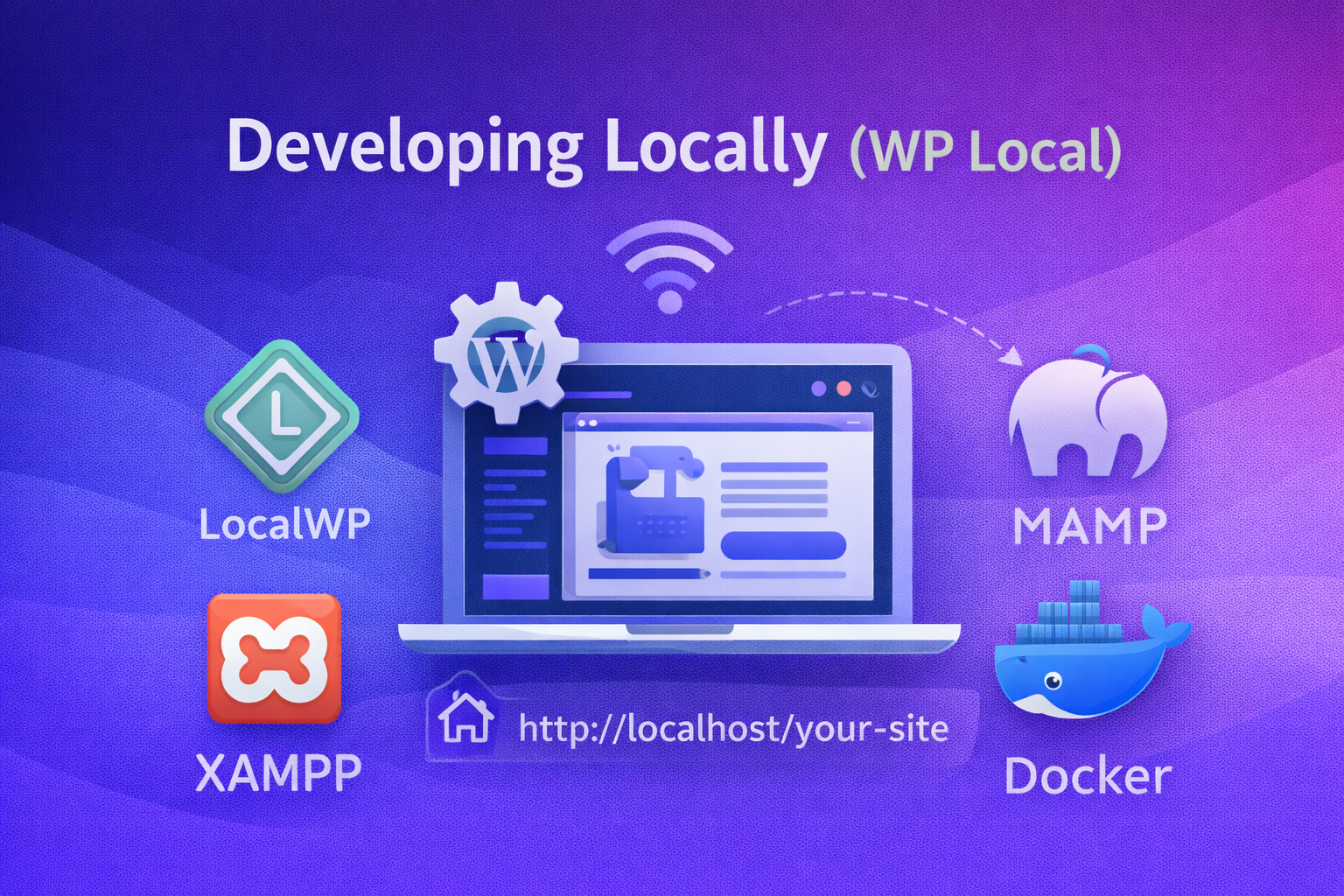
Developing locally means running WordPress directly on your own computer instead of on a live server. Whether you are using a Mac, a Windows PC, or a Linux machine, tools such as LocalWP, MAMP, XAMPP, or Docker allow you to create a complete WordPress environment that works entirely offline. In simple terms, this setup lets you build, design, and test a website freely, without touching a real domain or worrying that visitors might see unfinished or broken pages.
A useful way to think about local development is to imagine your computer as a private sandbox for WordPress. Everything you do stays hidden from the public, and no experiment—successful or not—can damage a live website or business.
2- HOW IT WORKS
Local development tools handle all the technical requirements WordPress needs behind the scenes. They install PHP, set up a database such as MySQL, and configure a web server like Apache or Nginx. Once everything is ready, WordPress runs on a local address such as http://localhost/your-site, which only you can access.
From there, working locally feels almost identical to working on a live website. You can install themes, activate plugins, create pages, adjust layouts, and even build custom plugins or templates. The WordPress dashboard, editor, and settings behave exactly the same as they would on real hosting.
When the site looks right and works as expected, you move it to a live server. Tools like LocalWP’s export feature, All-in-One WP Migration, or Duplicator make this process simple by packaging the entire site and transferring it to your hosting provider.
Example: You might spend several weeks designing a company website locally—building the homepage, adding service pages, and testing different layouts. Only when everything is polished and approved do you upload the site and make it public.
3- ADVANTAGES OF LOCAL DEVELOPMENT
One of the biggest advantages of local development is safety. Because everything happens on your own machine, mistakes never affect real visitors. You can break layouts, test unstable plugins, or delete content without any real consequences.
Local development is also much faster. There are no upload delays, no slow servers, and no dependence on an internet connection. Pages load instantly, which makes designing, testing, and iterating far more efficient.
Another major benefit is the ability to work offline. You can continue developing on a plane, a train, or anywhere without Wi-Fi. This is especially helpful for freelancers and remote developers who need flexibility.
Testing becomes easier as well. You can try new themes, experiment with plugins, or switch PHP versions without worrying about downtime. If something goes wrong, you can reset or restore the site in seconds. Local environments also work very well with version control systems like Git, supporting clean workflows and reliable code history.
4- DISADVANTAGES TO KEEP IN MIND
The main drawback of local development is that migration is unavoidable. At some point, the site must be moved from your computer to live hosting, which adds an extra step to the process.
Another challenge can be environment differences. Your local PHP or MySQL versions may not perfectly match your hosting provider’s setup, which can lead to small issues after migration.
Some features also do not behave realistically by default. Email sending, payment gateways, and webhooks often require extra configuration or final testing on a staging or live server. Collaboration can be more difficult as well, since other people cannot see your local site unless you share it using tools like LocalWP Live Links or services such as Ngrok.
5- BEST PRACTICES
For most users, LocalWP is the easiest and fastest way to start developing locally. Try to match your local PHP and database versions with those used by your hosting provider to avoid surprises later.
Before going live, always test the site again on the server, especially forms, emails, and payment features. Creating backups before migrating is essential, so you can quickly recover if something goes wrong.
Example: A common workflow is to upload the site to a staging environment first, test everything under real server conditions, and only then push it live. Following these practices keeps your development process safe, efficient, and professional.




 1- DEVELOPING LOCALLY (WP LOCAL)