Entries by Kia

MongoDB GUI Reference for App Developers

1) This is MongoDB Compass, the visual interface of MongoDB. Think of it like this: • mongosh → typing commands • Compass → clicking + filling fields Both talk to the same database. 2) Where “Reading” lives in Compass (important) Once you click your connection (for example i-9shop), the reading flow is always: Connection → […]

 Flutter UI – 50 Core Commands for Android Studio

Colors 1. color: Colors.blue – set background color Container(color: Colors.blue); █████████████████████████████████████ 2. color: Colors.black – set text color Text(‘Black text’, style: TextStyle(color: Colors.black)); █████████████████████████████████████ 3. Colors.red.withOpacity(0.5) – transparency Container(color: Colors.red.withOpacity(0.5)); █████████████████████████████████████ 4. Colors.green.shade200 – shade Container(color: Colors.green.shade200); █████████████████████████████████████ 5. Theme.of(context).primaryColor – use theme color Container(color: Theme.of(context).primaryColor); █████████████████████████████████████ Borders & Decoration 6. border: Border.all(color: Colors.black, width: […]

How to Develop a WordPress Site Locally

The first step is to set up WordPress on your own computer. This lets you build and experiment without touching a live website. Tools like LocalWP, MAMP, or XAMPP all do the job, but if you’re new to WordPress, LocalWP is usually the easiest choice. It’s beginner-friendly and handles most of the technical setup for […]

Developing Locally (WP Local)


 1- DEVELOPING LOCALLY (WP LOCAL)

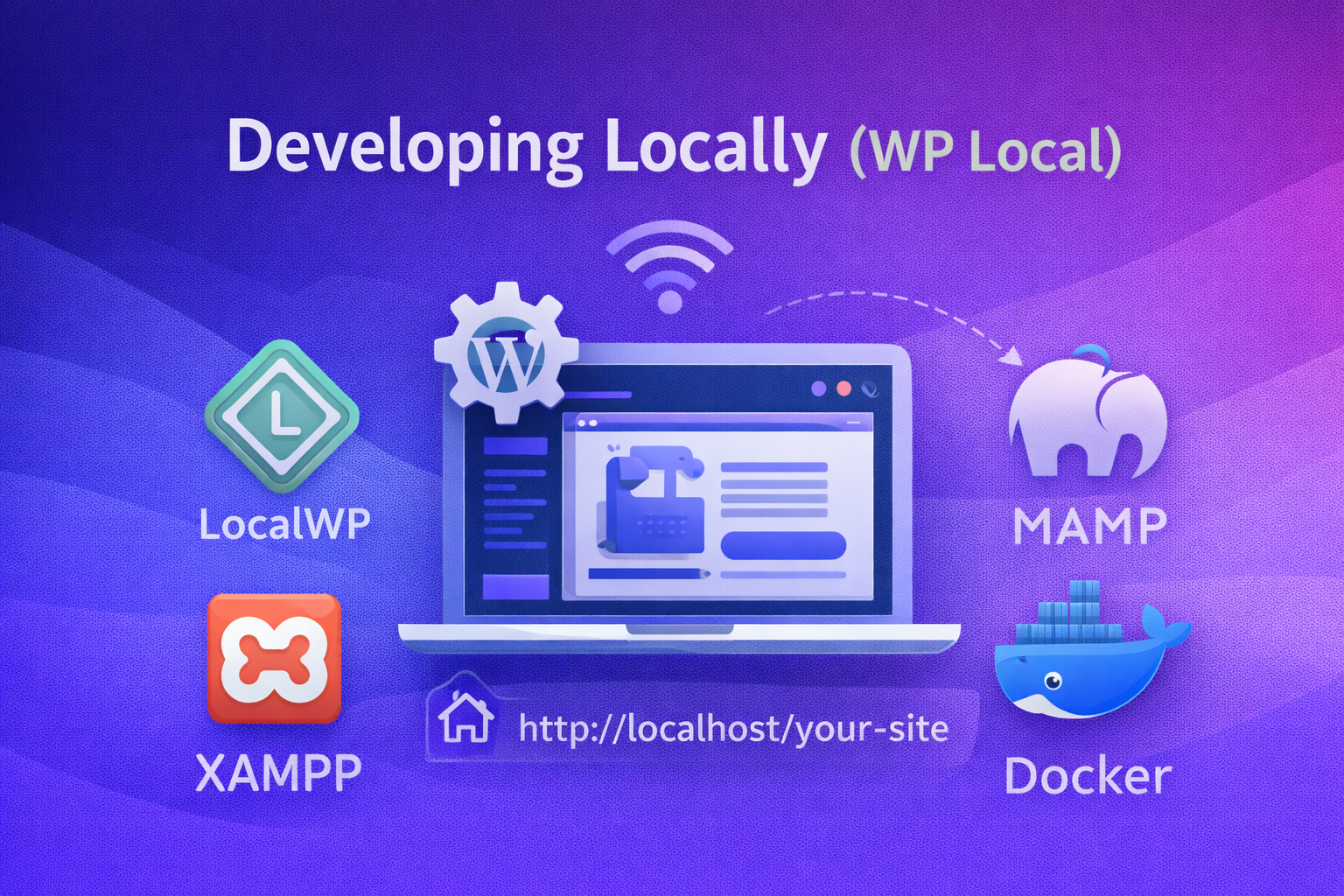
Developing locally means running WordPress directly on your own computer instead of on a live server. Whether you are using a Mac, a Windows PC, or a Linux machine, tools such as LocalWP, MAMP, XAMPP, or Docker allow you to create a complete WordPress environment that works entirely offline. In simple terms, this setup lets you build, design, and test a website freely, without touching a real domain or worrying that visitors might see unfinished or broken pages.

A useful way to think about local development is to imagine your computer as a private sandbox for WordPress. Everything you do stays hidden from the public, and no experiment—successful or not—can damage a live website or business.


 2- HOW IT WORKS

Local development tools handle all the technical requirements WordPress needs behind the scenes. They install PHP, set up a database such as MySQL, and configure a web server like Apache or Nginx. Once everything is ready, WordPress runs on a local address such as http://localhost/your-site, which only you can access.

From there, working locally feels almost identical to working on a live website. You can install themes, activate plugins, create pages, adjust layouts, and even build custom plugins or templates. The WordPress dashboard, editor, and settings behave exactly the same as they would on real hosting.

When the site looks right and works as expected, you move it to a live server. Tools like LocalWP’s export feature, All-in-One WP Migration, or Duplicator make this process simple by packaging the entire site and transferring it to your hosting provider.

Example: You might spend several weeks designing a company website locally—building the homepage, adding service pages, and testing different layouts. Only when everything is polished and approved do you upload the site and make it public.


  3- ADVANTAGES OF LOCAL DEVELOPMENT

One of the biggest advantages of local development is safety. Because everything happens on your own machine, mistakes never affect real visitors. You can break layouts, test unstable plugins, or delete content without any real consequences.

Local development is also much faster. There are no upload delays, no slow servers, and no dependence on an internet connection. Pages load instantly, which makes designing, testing, and iterating far more efficient.

Another major benefit is the ability to work offline. You can continue developing on a plane, a train, or anywhere without Wi-Fi. This is especially helpful for freelancers and remote developers who need flexibility.

Testing becomes easier as well. You can try new themes, experiment with plugins, or switch PHP versions without worrying about downtime. If something goes wrong, you can reset or restore the site in seconds. Local environments also work very well with version control systems like Git, supporting clean workflows and reliable code history.


 4- DISADVANTAGES TO KEEP IN MIND

The main drawback of local development is that migration is unavoidable. At some point, the site must be moved from your computer to live hosting, which adds an extra step to the process.

Another challenge can be environment differences. Your local PHP or MySQL versions may not perfectly match your hosting provider’s setup, which can lead to small issues after migration.

Some features also do not behave realistically by default. Email sending, payment gateways, and webhooks often require extra configuration or final testing on a staging or live server. Collaboration can be more difficult as well, since other people cannot see your local site unless you share it using tools like LocalWP Live Links or services such as Ngrok.


 5- BEST PRACTICES

For most users, LocalWP is the easiest and fastest way to start developing locally. Try to match your local PHP and database versions with those used by your hosting provider to avoid surprises later.

Before going live, always test the site again on the server, especially forms, emails, and payment features. Creating backups before migrating is essential, so you can quickly recover if something goes wrong.

Example: A common workflow is to upload the site to a staging environment first, test everything under real server conditions, and only then push it live. Following these practices keeps your development process safe, efficient, and professional.

Developing WordPress Sites Remotely: Workflow, Pros & Cons, and Must-Have Plugins

Developing Directly on Hosting (Remote) Developing directly on hosting—often called remote development—means building and modifying your WordPress website on a live server or a staging server instead of on your own computer. In this setup, WordPress is already installed on a hosting provider, and all changes happen online. You log in through the WordPress dashboard, […]

Important Flutter Commands on Terminal:

If you’re starting with Flutter, knowing the right terminal commands can save you hours of setup and debugging. These commands help you create projects, run apps on devices, manage dependencies, and prepare your builds for release: █████████████████████████████████████ 1. Check Flutter version flutter –version Example: Shows Flutter, Dart, and DevTools version █████████████████████████████████████ 2. Check setup & […]

Essential Flutter Commands for Running, Building, and Managing Projects

Flutter is Google’s UI toolkit for building cross-platform apps. If you’re starting out, knowing the right terminal commands can save you more spare time. Here’s a curated list of the most important Flutter commands with examples. Vital Flutter Commands1. Check Flutter versionflutter –versionExample output:Flutter 3.19.5 • Dart 3.3.1 • DevTools 2.30.0⸻2. Check setup & dependenciesflutter doctorExample […]

Work

Work i-9 Shop B2B marketplace. SwiftUI + REST. Push, Search, Caching. Case study → EMGuard Realtime monitoring. Charts, BLE, offline-first. PrintAssist MVP IAP, Analytics, AI tips overlay.

App Development


[FlutterWordPressSwiftUI 


App Development:

App development today is not simply about writing code. It is about making the right technical decisions early, reducing unnecessary complexity, and building products that remain stable, scalable, and maintainable over time. Most businesses do not approach us asking for a specific framework. Instead, they ask a more important question:

How can we build an app that works well today and still makes sense in the future?

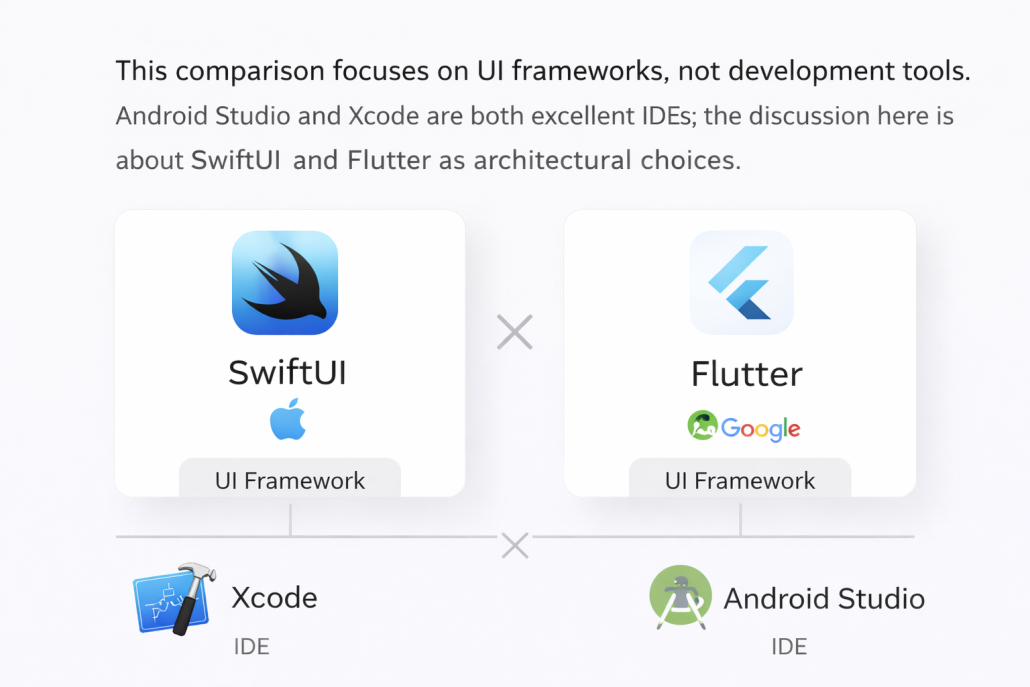
At KiaApp, we focus on modern app development approaches that balance performance, scalability, and long-term clarity. Depending on the project, this may involve native development using SwiftUI within Xcode for Apple platforms, or Flutter for cross-platform applications where speed, reach, and consistency are essential.


From Storyboards to SwiftUI

For many years, iOS applications were built using Storyboards. While effective in smaller projects, Storyboards often became difficult to manage as applications grew. Visual dependencies, layout constraints, and screen connections could quickly turn into maintenance challenges, making collaboration and long-term updates harder.

SwiftUI represents a fundamental shift away from this complexity. By describing user interfaces directly in code, SwiftUI offers a cleaner, more predictable structure. This results in faster iteration, fewer layout issues, and projects that scale far more gracefully over time—especially when working in modern versions of Xcode.


Modern Development Inside Xcode

With recent releases of Xcode, including Xcode 26.2, the development experience has evolved significantly. Developers can now integrate intelligent assistance directly into their workflow, helping them understand APIs faster, reduce repetitive tasks, and focus more on architecture and user experience.

AI-assisted tools inside Xcode are not meant to replace developers. Instead, they enhance decision-making, improve code quality, and streamline daily workflows. The result is more reliable applications and fewer issues later in the development lifecycle.


Apple Intelligence and AI-Enhanced Development

Apple Intelligence introduces a new layer to how applications are designed and improved. When combined with modern development practices, it allows apps to become more adaptive, responsive, and user-focused—while still respecting privacy and platform standards.

At the same time, tools such as OpenAI integrations can be used during development to support logic design, UI refinement, testing scenarios, and content generation. AI is no longer an external tool; it becomes a natural part of the development environment and workflow.


Flutter and Cross-Platform Advantages

Not every project requires a fully native approach. Flutter enables developers to build applications for iOS, Android, and additional platforms using a single codebase. This significantly reduces development time and cost while maintaining a high-quality and consistent user experience.

Flutter is particularly well suited for startups, MVPs, and businesses that want to reach multiple markets quickly without maintaining separate projects for each platform.


Choosing the Right Approach

There is no single best framework for every application. The right choice depends on business goals, timelines, budgets, and target audiences. Some projects benefit from deep native integration with SwiftUI, while others gain flexibility and speed from Flutter’s cross-platform architecture.

Our role is to guide this decision objectively—based on real project needs, not trends or preferences.