
25 Essential MongoDB Terminal Commands Every Developer Should Know
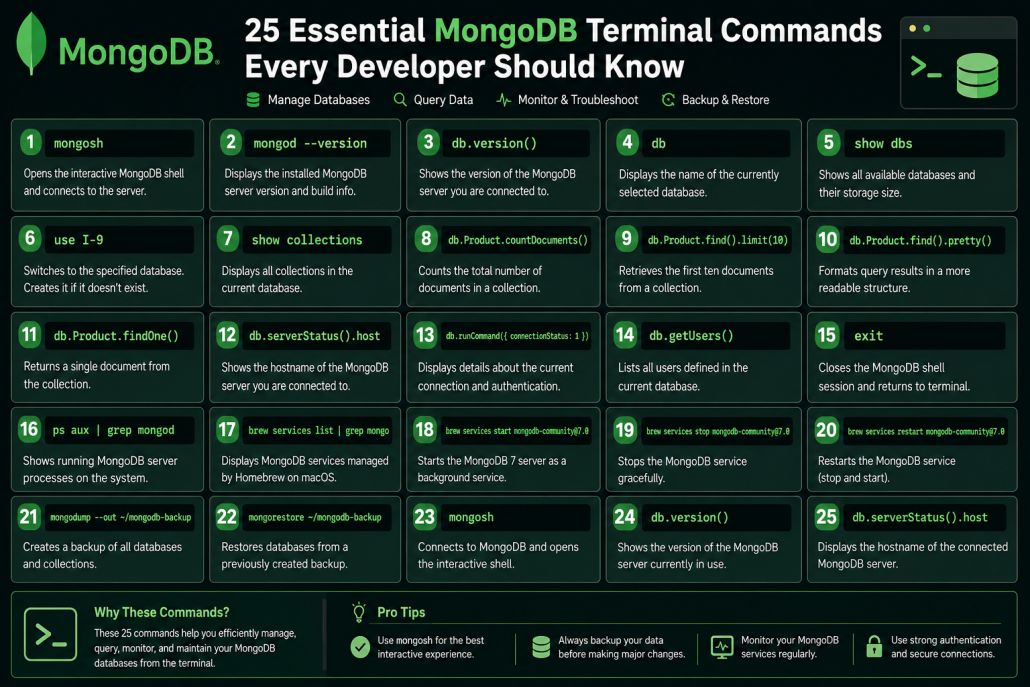
MongoDB Terminal Commands Guide
1. Start MongoDB Shell
mongoshOpens the interactive MongoDB shell and connects to the running
database server.
Allows you to execute queries, manage databases, and inspect
collections directly from the terminal.
2. Check MongoDB Version
mongod --versionDisplays the installed MongoDB server version and build information.
Useful for verifying upgrades and checking compatibility with
applications.
3. Check Running Server Version
db.version()Shows the version of the MongoDB server you are currently connected
to.
Helps confirm that Compass, applications, and the shell are using the
expected MongoDB version.
4. Show Current Database
dbDisplays the name of the database currently selected in the shell.
Useful for confirming where your commands and queries will be
executed.
5. List Databases
show dbsShows all available databases on the connected MongoDB server.
Also displays the approximate storage size used by each database.
6. Switch Database
use <collectionName>Changes the active database to the specified database name.
If the database does not exist, MongoDB creates it automatically when
data is added.
7. List Collections
show collectionsDisplays all collections inside the current database.
Collections are similar to tables in traditional SQL databases.
8. Count Documents
db.<collectionName>.countDocuments()Counts the total number of documents in a collection.
Useful for checking data volume and verifying imports or deletions.
9. Show First 10 Documents
db.<collectionName>.find().limit(10)Retrieves the first ten documents from a collection.
Provides a quick preview of stored data without loading the entire
collection.
10. Pretty Print Results
db.<collectionName>.find().pretty()Formats query results in a more readable structure.
Helpful when inspecting complex JSON documents with many fields.
11. Find One Document
db.<collectionName>.findOne()Returns a single document from the collection.
Useful for quickly examining document structure and field names.
12. Check Server Host
db.serverStatus().hostShows the hostname of the MongoDB server you are connected to.
Helps determine whether you are connected locally or to a remote
server such as Atlas or Render.
13. Check Connection Information
db.runCommand({ connectionStatus: 1 })Displays details about the current connection and authentication status.
Useful for troubleshooting user permissions and login issues.
14. Check Current Users
db.getUsers()Lists all users defined in the current database.
Shows usernames, roles, and access permissions.
15. Exit MongoDB Shell
exitCloses the MongoDB shell session safely.
Returns you to the normal terminal command prompt.
16. Check Running MongoDB Process
ps aux | grep mongodShows all MongoDB server processes currently running on the system.
Useful for identifying which MongoDB version and configuration are
active.
17. Check MongoDB Service Status
brew services list | grep mongoDisplays MongoDB services managed by Homebrew on macOS.
Shows whether each service is running, stopped, or reporting errors.
18. Start MongoDB 7
brew services start mongodb-community@7.0Starts the MongoDB 7 server as a background service.
Ensures the database automatically runs and accepts connections.
19. Stop MongoDB
brew services stop mongodb-community@7.0Stops the MongoDB service gracefully.
Useful before upgrades, maintenance, or configuration changes.
20. Restart MongoDB
brew services restart mongodb-community@7.0Stops and starts MongoDB in a single command.
Often used after modifying configuration files or upgrading MongoDB.
21. Backup Database
mongodump --out ~/mongodb-backupCreates a backup of all databases and collections.
Protects your data before upgrades, migrations, or major changes.
22. Restore Database
mongorestore ~/mongodb-backupRestores databases from a previously created backup.
Useful for recovering lost data or migrating to a new MongoDB installation.
23. Most Useful Command: Open MongoDB
mongoshConnects to MongoDB and opens the interactive shell.
The starting point for most database management and troubleshooting
tasks.
24. Most Useful Command: Verify Version
db.version()Shows the version of the MongoDB server currently in use.
Useful for verifying upgrades and troubleshooting compatibility issues.
25. Most Useful Command: Verify Host
db.serverStatus().hostDisplays the hostname of the connected MongoDB server.
Helps confirm whether you are connected to localhost, Atlas, Render,
or another remote server.