
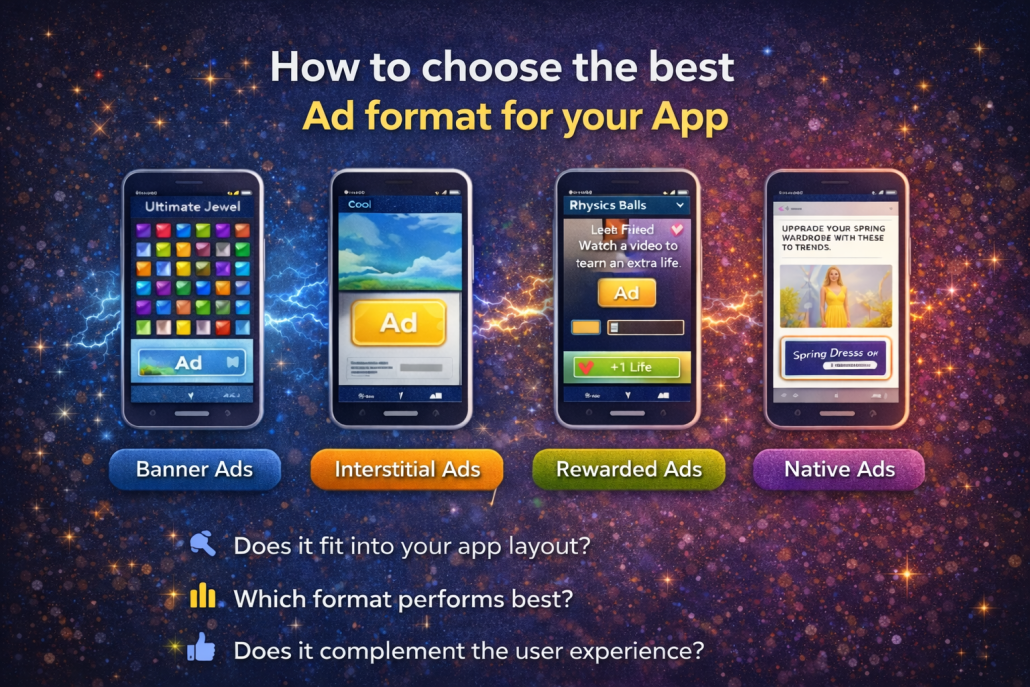
This tutorial focuses on helping app developers understand the different advertising formats available in Google AdMob and how to choose the right option for their app. The main idea is simple: the ad format you select directly affects how ads appear to users and how they experience your app. By understanding the strengths of each format and testing them properly, you can balance revenue generation with a positive user experience.
AdMob currently offers four main ad formats: banner, interstitial, rewarded, and native ads. Each format serves a different purpose and fits different app designs. Banner ads are small, rectangular ads that take up a fixed area of the screen, usually at the top or bottom. They refresh automatically after a set time, which means users may see new ads if they stay on the same screen. Because banners are easy to implement and don’t interrupt the app flow too much, they are often a good starting point for developers who are new to app monetization.
Within banner ads, adaptive anchor banners are especially worth considering. Unlike older fixed-size or smart banners, adaptive banners automatically adjust their height and aspect ratio to fit the user’s device. This helps prevent ads from looking too small on large screens or too large on smaller ones, creating a more consistent and professional appearance across devices.
Interstitial ads are full-screen ads that temporarily cover the entire app interface. These work best when shown at natural transition points, such as after completing a game level or during a loading screen. When placed thoughtfully, interstitials can generate strong revenue without frustrating users, especially if the timing feels logical and expected.
Rewarded ads take a more user-friendly approach by offering something in return for watching or interacting with an ad. In many apps—especially games—users may earn rewards like extra lives, coins, or second chances by choosing to view an ad. Because the interaction is optional and reward-based, this format often leads to higher engagement and user satisfaction.
Native ads are the most flexible option. They are designed to blend seamlessly into the app’s layout and match its overall look and feel. This customization allows ads to feel like a natural part of the content rather than a disruption. Native ads are often preferred for apps that prioritize long-term engagement and a polished user experience.
In addition to ad formats, AdMob supports different ad types, including text and image ads, rich media, interactive ads, and video ads. Not every format supports every type. For example, banners can display text, images, and video but don’t support interactive ads. Interstitial ads support all ad types, while rewarded ads are limited to video and interactive content. Native ads typically support image and video formats.
Choosing the best ad format depends on several factors. You should consider how well the ad fits into your app’s layout, how it performs during testing (both in terms of revenue and user retention), and whether it enhances or disrupts the overall experience. Technical complexity also matters—simpler formats like banners are easier to start with, while native ads require more design effort.
Testing is essential. By experimenting with different formats, placements, and timing, you can learn what works best for your specific app and audience. Most importantly, always keep the user experience in mind. Ads that feel intrusive may increase short-term revenue but can harm long-term retention. Thoughtfully placed ads that respect the user’s flow tend to perform better over time.
In short, successful app monetization with AdMob is about choosing the right ad formats, placing them strategically, and continuously testing to find the best balance between earnings and user satisfaction.